1
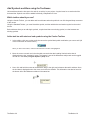
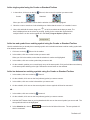
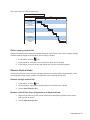
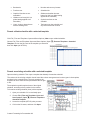
Remove a single vertical link
Remove vertical links from all symbols on a single task row
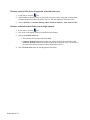
Remove vertical links from all symbols, selected task rows
Remove selected vertical links from a single symbol
5-6
5-6
5-7
5-7
Chapter 6: Formatting and Layout ..........................................................................................6-1
Layout
6-1
Change the chart size and margins
Rows per page and row height
Scaling the chart size to the current paper size
Change the number of columns
Column numbering
Hide and unhide columns
6-1
6-1
6-1
6-2
6-2
6-2
Legend
6-2
Create a legend
Format a legend
Legend background color and font settings
Legend entries
6-2
6-3
6-3
6-4
Columns
6-5
Insert a column
Move a column
Delete a column
Right-click to edit column
6-5
6-5
6-5
6-6
Chart Title
6-6
Date Headings
6-7
Format the Date Headings
Date heading Start number
Date heading Frequency number
6-7
6-7
6-8
Chapter 7: Printing ...................................................................................................................7-1
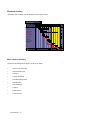
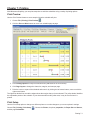
Print Preview
7-1
Print Setup
7-1
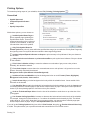
Printing Options
7-2
General tab
Print tab
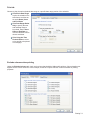
Exclude columns when printing
Default printer
7-2
7-3
7-3
7-4
Chapter 8: Working with other Applications ..........................................................................8-1
Paste Text and Numbers into Single Columns or Cells
Copy and paste text into column cells
Copy and paste text into column cells below existing text
Copy and paste text into a single column cell
You can also paste copied cells into a single column cell in Milestones Simplicity.
Copy and paste column text and numbers into other columns
8-1
8-1
8-2
8-2
8-2
8-2
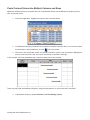
Paste Text and Values into Multiple Columns and Rows
8-3
Link and Embed Schedules in other Applications
8-4
Embed a schedule in another document
Link a schedule into another document
Is linking or embedding the best approach?
8-4
8-5
8-5
Paste a Picture of the Schedule into another Application
8-6
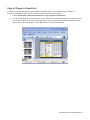
Copy all Pages to PowerPoint
8-6
Chapter 9: Custom Formatting for Presentation ..................................................................9-1
vi