1
Using the 172Bug Debugger
The 172Bug Debugger Command Set
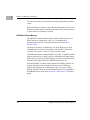
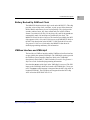
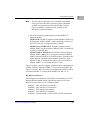
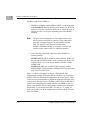
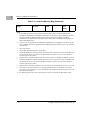
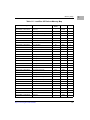
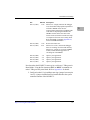
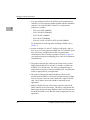
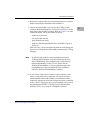
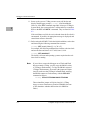
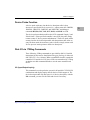
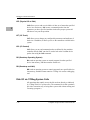
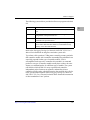
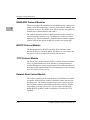
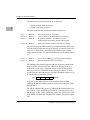
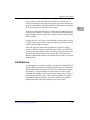
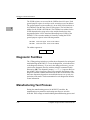
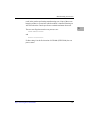
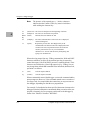
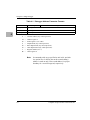
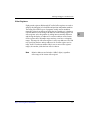
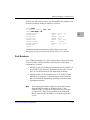
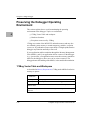
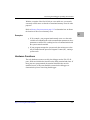
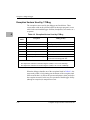
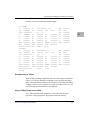
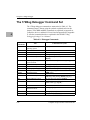
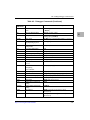
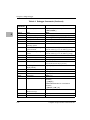
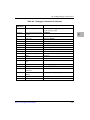
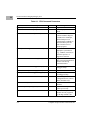
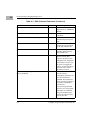
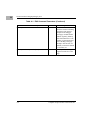
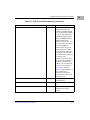
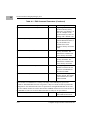
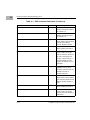
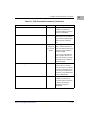
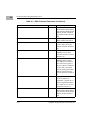
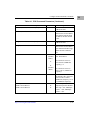
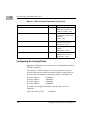
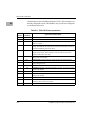
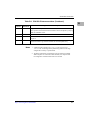
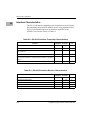
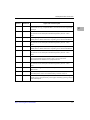
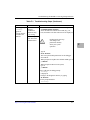
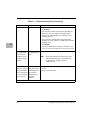
The 172Bug debugger commands are summarized in Table 4-3. The
command syntax is shown using the symbols explained earlier in this
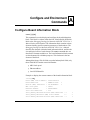
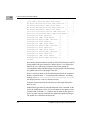
chapter. The CNFG and ENV commands are explained in Appendix A.
Controllers, devices, and their LUNs are listed in Appendix D or Appendix
E. All other command details are explained in the MVME172Bug
Debugging Package User’s Manual.
4
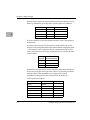
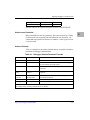
Table 4-3. Debugger Commands
Command
Mnemonic
AB
NOAB
AS
BC
BF
BH
Title
Automatic Bootstrap
Operating System
No Autoboot
One Line Assembler
Block of Memory Compare
Block of Memory Fill
BI
BM
BO
BR
NOBR
BS
Bootstrap Operating
System and Halt
Block of Memory Initialize
Block of Memory Move
Bootstrap Operating System
Breakpoint Insert
Breakpoint Delete
Block of Memory Search
BV
CM
Block of Memory Verify
Concurrent Mode
NOCM
CNFG
No Concurrent Mode
Configure Board
Information Block
Checksum
Data Conversion
CS
DC
4-22
Command Line Syntax
AB [;V]
NOAB
AS addr
BC range addr [; B|W|L]
BF range data [increment]
[; B|W|L]
BH [controller LUN] [device LUN] [string]
BI range [; B|W|L]
BM range addr [; B|W|L]
BO [controller LUN] [device LUN] [string]
BR [addr [:count]]
NOBR [addr]
BS range text [; B|W|L]
or BS range data [mask] [; B|W|L [,N] [,V]]
BV range data [increment] [; B|W|L]
CM [[port] [ID-string] [baud]
[phone-number]]|[; A]|[; H]
NOCM
CNFG [; [I][M]]
CS range [; B|W|L]
DC exp | addr [; [B][O][A]]
Computer Group Literature Center Web Site