1
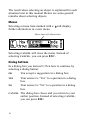
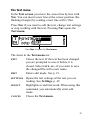
DELETE
Deletes the contact file.
TOP
Brings you to the top of the C Address main
screen (EXIT).
CANCEL
Closes the Contact menu.
View a contact
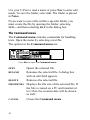
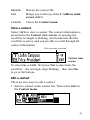
Select VIEW to view a contact. The contact information is
presented in the Contact view screen. At opening the
scroll bar rectangle is blinking, which indicates that the
scroll bar is active, and you are able to scroll through all
contact information.
Blinking when activated
Contact view
screen
To select OK or EDIT, first press Nav to deactivate the
scroll bar – the rectangle stops blinking – then turn Nav
to go to the buttons.
Edit a contact
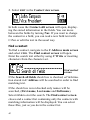
There are two ways to edit a contact:
1. Select a contact in the contact list. Then select EDIT in
the Contact menu.
39