1
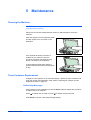
Maintenance
Replacing Toner Container
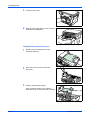
1
Open the top cover.
2
Open the front cover.
3
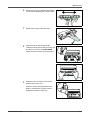
Lift the process unit, together with the toner
container, out of the machine and place it on
a clean, level surface.
Do not stand the process unit on end and
never expose the drum to normal lighting for
more than five minutes.
4
Pull the lock lever towards to the UNLOCK
position then pull the toner container release
lever to the right.
5
Gently remove the old toner container. Put it
in the supplied plastic bag and dispose of it
according to local rules and regulations.
CAUTION: Do not burn or open the toner container.
5-2
OPERATION GUIDE