1
Using Auto Recording
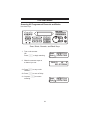
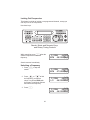
The Auto Recording feature allows you to automatically tape record
activity from any channel of your scanner. When scanning stops on the
assigned channel, the recorder records the broadcast.
Before using the Auto Tape feature, connect the scanner to a tape
recorder. (See page 6.)
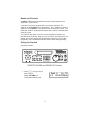
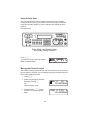
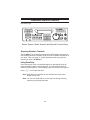
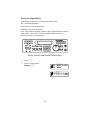
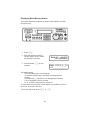
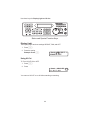
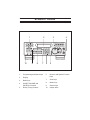
Use these keys:
MEM
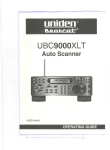
BC9000XLT
SHIFT
COUNT
AUX
STATUS
A
B
C
D
E
PROG
SEND
ALPHA
F
G
H
I
J
FREQ
HOLD
BRI
MANUAL
SCAN
SRC
1
AM
AUTO
PRI TURBO
CTCSS
DATA
4
L/O
DELAY
ATT
7
5KHz
LIMIT
LINE
CHAN
SQUELCH
TWIN TURBO
CLR
EXT SP
DIM
2
NFM
5
12.5 KHz
8
50KHz
0
OFF
3
WFM
6
LOCK
25KHz
VOLUME
9
HI-CUT
E
OFF
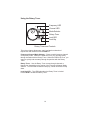
Status, Scan, and Numeric Keys,
Rotary Tuning Controls, Line jack
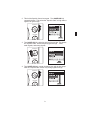
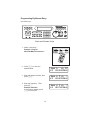
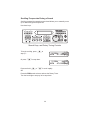
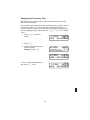
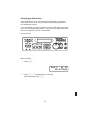
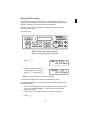
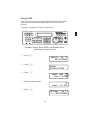
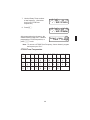
1. Press s.
Bank A P ch
1
482.7625MHz
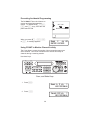
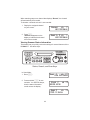
2. When the scanner stops on a
channel you want to record,
press m, then press x .
Record
ch
1
482.7625MHz
Note: You can also select the channel manually.
To select other channels for recording, repeat steps 1 and 2.
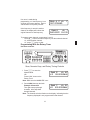
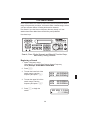
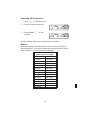
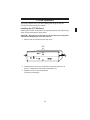
To record transmissions, you need a tape recorder with Remote and
Microphone inputs.
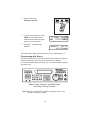
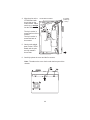
1. Connect the REMOTE jack of your tape recorder to the AUX jack
on the rear of the BC9000XLT. This can be used to start and
stop your recorder.
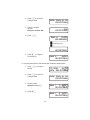
2. Put a tape in your recorder, and put it in the Record mode.
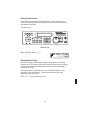
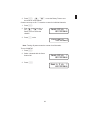
3. Press s.
41