1
4.4.2 How to Set Up your Computer’s IP Address for Direct Connect
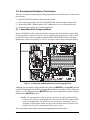
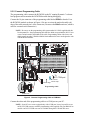
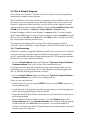
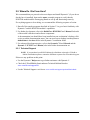
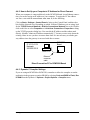
When your computer is connected directly to the RCM3200 board via an Ethernet connection, you need to assign an IP address to your computer. To assign the PC the address
10.10.6.101 with the netmask 255.255.255.0, do the following.
Click on Start > Settings > Control Panel to bring up the Control Panel, and then double-click the Network icon. Depending on which version of Windows you are using, look
for the TCP/IP Protocol/Network > Dial-Up Connections/Network line or tab. Doubleclick on this line or select Properties or Local Area Connection > Properties to bring
up the TCP/IP properties dialog box. You can edit the IP address and the subnet mask
directly. (Disable “obtain an IP address automatically.”) You may want to write down the
existing values in case you have to restore them later. It is not necessary to edit the gateway address since the gateway is not used with direct connect.
RCM3200
Board
IP 10.10.6.101
Netmask
255.255.255.0
User’s PC
Ethernet
crossover
cable
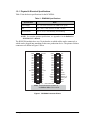
Direct Connection PC to RCM3200 Board
4.4.3 Dynamic C Compiler Settings
If you are using an RCM3200 or RCM3220, remember to allow the compiler to run the
application in the program execution SRAM by selecting Code and BIOS in Flash, Run
in RAM from the Dynamic C Options > Project Options > Compiler menu.
Getting Started
35