1
Chapter 21. Online Storage Management
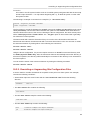
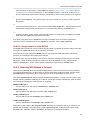
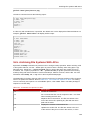
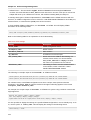
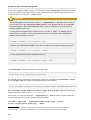
• Offload iSCSI — like the Chelsio cxgb3i, Broadcom bnx2i and ServerEngines be2iscsi
modules, this stack allocates a scsi_host for each PCI device. As such, each port on a host bus
adapter will show up as a different PCI device, with a different scsi_host per HBA port.
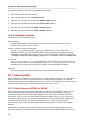
To manage both types of initiator implementations, iscsiadm uses the iface structure. With this
structure, an iface configuration must be entered in /var/lib/iscsi/ifaces for each HBA port,
software iSCSI, or network device (ethX) used to bind sessions.
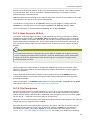
To view available iface configurations, run iscsiadm -m iface. This will display iface
information in the following format:
iface_name transport_name,hardware_address,ip_address,net_ifacename,initiator_name
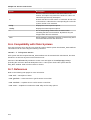
Refer to the following table for an explanation of each value/setting.
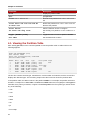
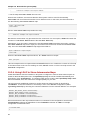
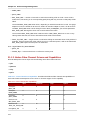
Table 21.2. iface Settings
Setting
Description
iface_name
iface configuration name.
transport_name
Name of driver
hardware_address
MAC address
ip_address
IP address to use for this port
net_iface_name
Name used for the vlan or alias binding of a
software iSCSI session. For iSCSI offloads,
net_iface_name will be <empty> because
this value is not persistent across reboots.
initiator_name
This setting is used to override a default name
for the initiator, which is defined in /etc/
iscsi/initiatorname.iscsi
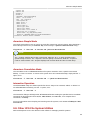
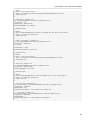
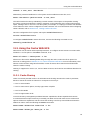
The following is a sample output of the iscsiadm -m iface command:
iface0 qla4xxx,00:c0:dd:08:63:e8,20.15.0.7,default,iqn.2005-06.com.redhat:madmax
iface1 qla4xxx,00:c0:dd:08:63:ea,20.15.0.9,default,iqn.2005-06.com.redhat:madmax
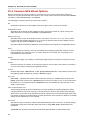
For software iSCSI, each iface configuration must have a unique name (with less than 65
characters). The iface_name for network devices that support offloading appears in the format
transport_name.hardware_name.
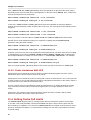
For example, the sample output of iscsiadm -m iface on a system using a Chelsio network card
might appear as:
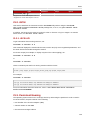
default tcp,<empty>,<empty>,<empty>,<empty>
iser iser,<empty>,<empty>,<empty>,<empty>
cxgb3i.00:07:43:05:97:07 cxgb3i,00:07:43:05:97:07,<empty>,<empty>,<empty>
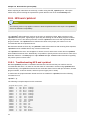
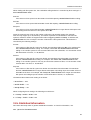
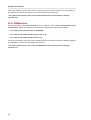
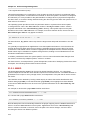
It is also possible to display the settings of a specific iface configuration in a more friendly way. To do
so, use the option -I iface_name. This will display the settings in the following format:
iface.setting = value
134