1
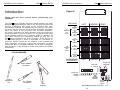
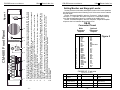
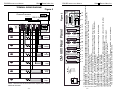
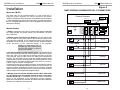
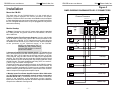
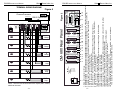
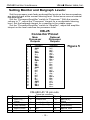
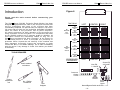
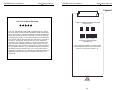
CM-680 INSTRUCTION MANUAL Ultra Stereo Labs, Inc. Introduction CM-680 INSTRUCTION MANUAL Ultra Stereo Labs, Inc. Figure 6 Please read this entire manual before commencing your installation. -3- Wire Strippers 1.8ms 800hz 500hz Llo Lhi Clo Chi Rlo Rhi RIGHT Screen EQ 4-6 On/Off HORN EQ 1-3 ON Horn EQ 1-3 On/Off Crossover Output Levels No. 2 Phillips screwdriver CENTER Bypass Xover Levels Normal/Bypass Switch and LEDs - 12 - SCREEN EQ 4-6 ON Small, standard screwdriver Trimpot adjustment tool 1.4ms 1.8ms 800hz LEFT 330hz All Switches On: 330 Hz CROSSOVER FREQUENCY 1.4ms 1.8ms 1.4ms All Switches On: 500 Hz RIGHT 500hz All Switches Off: 297 Hz CENTER 330hz All Switches On: 800 Hz LEFT 800hz All Switches Off: 0.7ms All Switches On: 1.8ms All Switches On: 1.4ms 500hz TOOLS REQUIRED TIME DELAY 330hz The Ultra Stereo CM-680 Projection Booth Monitor has been designed for high performance, ease of use, and years of trouble free service. Installation and setup of the monitors has been considerably simplified. No special tools are required. The built in VU meter and test jack give the technician immediate information about the status of the processor and all power amplifiers. All controls necessary for daily operation of the processor are easily accessible on the front panel. The components that make up the CM-680 monitors are of computer grade for reliability. All front panel controls are individually sealed for long life. All Ultra Stereo equipment has been burned-in at the factory for an extended period in order to eliminate the possibility of premature failure. Unpack the unit carefully. If the container has been damaged, thoroughly inspect the equipment to make certain that there is no hidden damage. File a claim immediately with the carrier if any damage is found. Also advise your dealer or the factory.