1
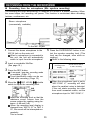
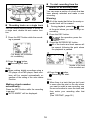
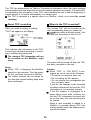
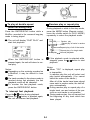
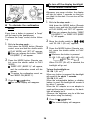
w To cancel the auto power
save function
Power consumption can be reduced by
controlling the memory storage time. You
can cancel the auto power save function.
1
n
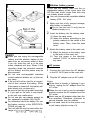
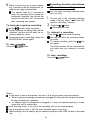
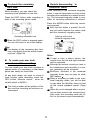
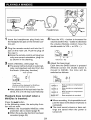
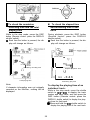
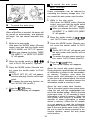
To cancel the auto-play
function
When a MiniDisc is inserted, the power will
be turned on automatically, and playback
will begin. You can cancel automatic playback.
1
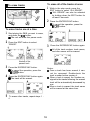
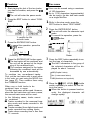
While in the stop mode
Hold down the MODE button (Remote
control: move and hold the shuttle switch
at PLAY MODE) until “SET UP” appears.
0 When you release the button, “BEEP
ON (BEEP 1)” or “BEEP OFF (BEEP
0)” will appear.
2 Move the shuttle switch to
m or m
until “AUTO Psave (autoPS)” appears.
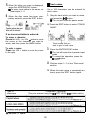
3 Press the MODE button (Remote con-
While in the stop mode . .
Hold down the MODE button (Remote
control: move and hold the shuttle switch
at PLAY MODE) until “SET UP” appears.
0 When you release the button, “BEEP
ON (BEEP 1)” or “BEEP OFF (BEEP
0)” will appear.
trol: move the shuttle switch to PLAY
MODE).
0 “Psave OFF (PS off)” will appear, and
the auto power save function will be
canceled.
0 To restore the auto power save function, select “AUTO Psave (autoPS)“.
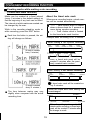
2 Move the shuttle switch to
4 Press the U:OFF button.
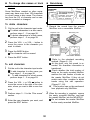
H1 or m
until “A-PLAY ON (autoPL)” appears.
0 The normal display will reappear.
3 Press the MODE button (Remote con-
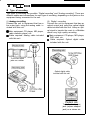
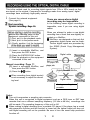
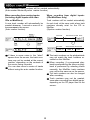
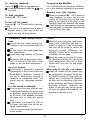
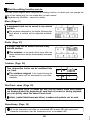
About the sound skip guard memory:
During playback, approximately 40 seconds
of information is stored in the semiconductor memory. Therefore, even when the
pickup cannot read information for a second
or two due to an external shock, the sound
will continue without interruption because the
information stored in memory is used.
trol: move the shuttle switch to PLAY
MODE).
0 “A-PLAY OFF (PL off)” will appear,
and the auto-play function will be canceled.
0 To restore the auto-play function, select “A-PLAY ON (autoPL)“.
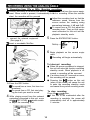
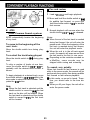
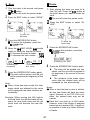
About the auto power save function:
This is a function used to save power when
using the unit with the rechargeable battery or the alkaline battery. While in the auto
power save mode, 10 - 40 seconds of sound
information is stored in memory. When the
auto power save function is disabled, 40
seconds of sound information is always
stored in memory. (When the AC adaptor
or a car adaptor is used, the information
storage time is always 40 seconds, regardless of the auto power save mode.) When
the unit is used in places exposed to excessive vibration, cancel the auto power
save function.
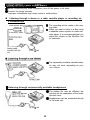
4 Press the B/:OFF button.
0 The normal display will reappear.
35