1
Operating the washing machine
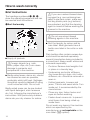
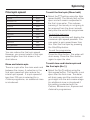
Control panel
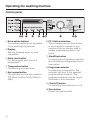
a Extra option buttons
Various extra options can be added
to the washing programmes.
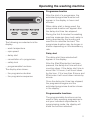
b Display
See the following page for more
information.
c Delay start button
For delaying the start time of a
programme.
d Temperature button
For selecting a temperature.
e Spin speed button
For selecting the final spin speed or
e (Rinse hold) or No u (Without
spin).
f PC / Optical interface
This is used by service technicians
to run diagnostic checks on your
machine and can also be used to
update programming data in the
future.
g Start/Stop button
For starting the programme selected
and cancelling a programme once it
has started.
h Programme selector
For selecting a programme. The
indicator light next to the selected
programme will come on. The
programme selector can be turned
clockwise or anti-clockwise.
i I-On/0-Off button
For switching the machine on or off.
j Door button
Opens the machine door.
10