1
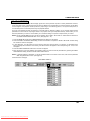
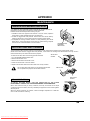
CONNECTING THE PROJECTOR
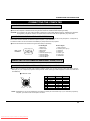
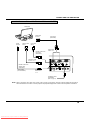
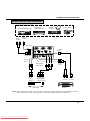
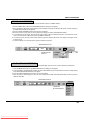
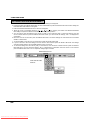
CONNECTING THE VIDEO EQUIPMENT
VIDEO EQUIPMENT
Video Cassette Recorder
L R
AUDIO
OUTPUT
Satellite
TV Tuner
DVD Player
Video Disc Player
Video Camera
VIDEO
OUTPUT
VIDEO INPUT
COMPUTER
CONTROL PORT 1
(STEREO)
AUDIO 2
CONTROL PORT 2
EXT. SP (8Ω)
(STEREO)
(STEREO)
S-VIDEO
INPUT
AV IN
AUDIO INPUT
AUDIO 1
MONITOR OUT
COMPUTER IN 2
COMPUTER IN 1
R AUDIO L
(MONO)
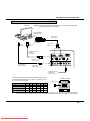
VIDEO
S-VIDEO
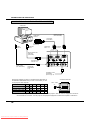
Y
Cb/Pb
Cr/Pr
AUDIO
INPUT
COMPONENT
VIDEO INPUT
R L
AUDIO
OUTPUT
Y, Cb/Pb, Cr/Pr
COMPONENT
VIDEO OUTPUT
DVD Player
AUDIO
INPUT
AUDIO
OUTPUT
S-VIDEO
OUTPUT
VCR Etc...
NOTE: When connecting the cable, the power cords of both the projector and the external equipment should be
disconnected from AC outlet. Turn the projector on before the peripheral equipment is switched on.
17
Downloaded From projector-manual.com Boxlight Manuals