1
SYSTEM OPTION – DEFINITIONS
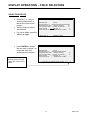
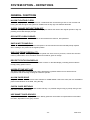
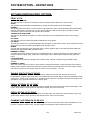
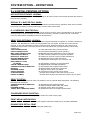
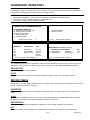
TRACKING FILE OPTIONS
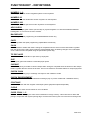
AUTOMATIC TRANSFER CHECK
This refers to re-assigning a check opened by one employee to another employee. This automation allows
transfer when an employee opens a check, or changes the operator whilst a check is open.
CHECKS PAID SLIP IS STUB
This produces an abbreviated bill, showing only financial information only.
PRINT GUEST CHECK
This prevents guest bills being printed at the terminal, even if a print check key is programmed, design to
program the terminal as an order, not payment register.
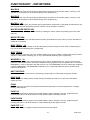
SELECT HELD ITEMS ON RECALL
The terminal operates a system, which allows the operator to prevent items being printed in the kitchen until
requested. This is a feature used in-conjunction with the check tracking files allowing all held items to be
automatically selected ready for printing the moment the check is opened. The items on hold are highlighted
when a check is re-opened, eliminating the need to manual select each held item. The next stage pressing of
PRINT HOLD will send the items to the printer.
WARN IF ITEMS HELD AT TEND
This indicates to the employee when a bill is being cashed off, that there were items still on hold that have not
being printed.
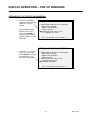
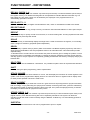
TRACK 2 HOLDS CLOSED TRK1 CHKS
If this flag is activated, TRACK 2 is not to be used as a normal open check balance storage system. It is an
archive for closed checks, which were opened on tracking method 1.
As a check is closed on tracking method 1, the data is stored in check files 2, available for reporting by
printing OPEN CHECK TRACK#2. The maximum file size for data storage is determined by the MAXIMUM
NUMBER of checks set in the memory allocation.
TRACK 4 HOLDS CLOSED TRK2 CHKS
If this flag is activated, TRACK 4 is not to be used as a normal open check balance storage system. It is an
archive for closed checks, which were opened on tracking method 3.
As a check is closed on tracking method 4, the data is stored in check files 3, available for reporting by
printing OPEN CHECK TRACK#4 The maximum file size for data storage is determined by the MAXIMUM
NUMBER of checks set in the memory allocation.
STARTING CHECK# 1 – 4
When using the auto check number generation system this is the number from which the checks will begin to
be generated, each file can have a different starting number.
- 101 -
SER-7000