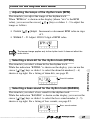
1
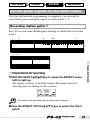
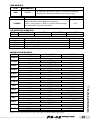
PATTERN
CHORD
RECORD
MIXDOWN
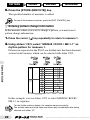
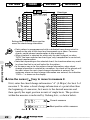
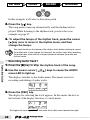
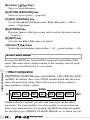
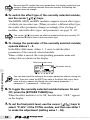
Chord type
Root
B
A#
A
G#
G
F#
F
E
D#
D
C#
C
erase
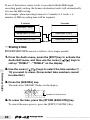
Setting slider 1 to the full down position
erases the chord change information
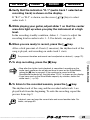
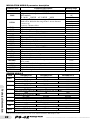
No transformation
Minor Major 7th
Major 9th
Minor 9th
Major 6th
Minor 6th
Minor 7th flat 5
Suspended 4th
7th Suspended 4th
Diminished
Augment
Major 7th
Minor 7th
Dominant 7th
Minor Triad
No display Major Triad
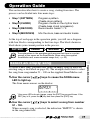
Operation Guide
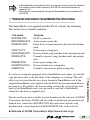
• Each pattern is preprogrammed with a dedicated bass phrase which is
based on the root of the chord and transposed up or down. For some
chords, partial phrase transformation is also employed.
• When a pattern is selected for which only the root is played, or when
"NON" has been selected as chord type, only transposition is carried out,
without transformation.
• Note that depending on the selected chord, the transformation may result
in a bass line that is not well suited for the pattern.
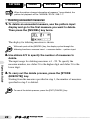
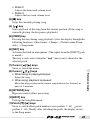
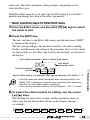
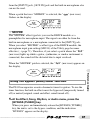
• In the same way as for the pattern change information, when chord
change information is entered for a measure, the chord will be played until
the point where the next chord change information is entered. For
measures where no chord change information was entered, the indication
"CHD<--" is shown on the display.
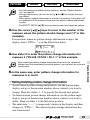
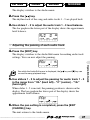
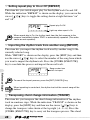
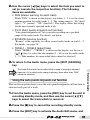
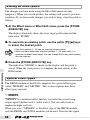
4.Use the cursor [
] key to move to measure 2.
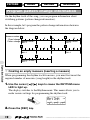
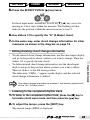
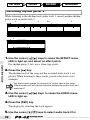
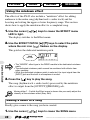
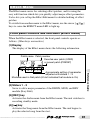
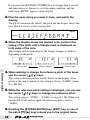
Next, enter the chord change information "A" (A Major) for beat 3 of
measure 2. To enter a chord change information at a point other than
the beginning of a measure, first move to the desired measure and
then specify the input position in units of single beats. The position
within the measure is indicated by flashing dots, as shown below.
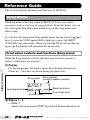
Current measure
Beat position within measure
Beat 1
24
2
3
4