1
44
CHAPTER 4: MAINTAINING SOFTWARE
Using the BOOT Menu
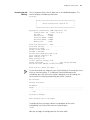
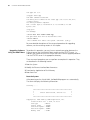
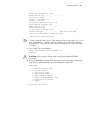
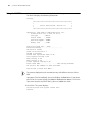
After you power on the Switch 8800, the BootROM program runs automatically.
The terminal displays the following information:
Starting...
*************************************************
*
*
*
Switch 8800 Bootrom, Version 113
*
*
*
*************************************************
Copyright(C) 2000-2004 by 3COM Corporation, Inc.
Creation date: Jul 5 2004, 10:43:58
CPU type
: MPC755
CPU L2 Cache
: 1024KB
CPU Clock Speed : 400MHz
BUS Clock Speed : 100MHz
Memory Size
: 512MB
Flash file system init....done
Board self testing...........................
The board is steady
SlotNo of this board is 4
The MCX is existent
BootRom main system CRC check is OK
82559 register testing is OK
EPLD1 testing is OK
EPLD2 testing is OK
16c2552 register testing is OK
Please check LEDs......................LED testing finished
The switch's Mac address is 0040.9c30.b2d4
Press Ctrl+B to enter Boot Menu...
The contents displayed on the terminal can vary with different versions of Boot
ROM.
If you press Ctrl+B immediately, the system displays the Boot Menu. If you do not
press Ctrl+B, the system initiates the program decompression process. At this time
if you want to access the BOOT Menu, you must reboot the switch.
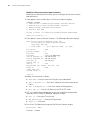
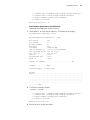
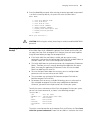
1 Press Ctrl+B. The system displays:
Initialize flash file system. Please wait!
Password :