1
TCP/IP Features
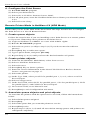
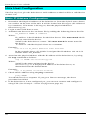
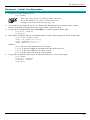
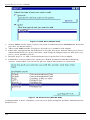
Example - Initial Configuration
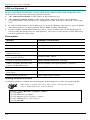
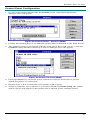
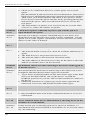
1. Connect to the Print Server.
ftp NAME
You can only connect using a name instead
of an IP Address if your system has been
configured as described on page 26.
2. You will be prompted for User. Enter the default name (on the base of the
device). When prompted for the password, press ENTER.
3. Copy the configuration file CONFIG, to your system, then quit.
ftp>get CONFIG
ftp>quit
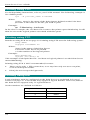
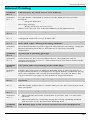
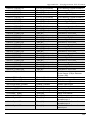
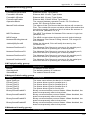
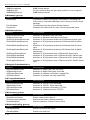
4. Edit the CONFIG file to set parameters in the following four lines in the file.
0001 BOX_NAME:Name
4000 IP_ADDR:x.x.x.x
4001 GATEWAY:y.y.y.y
4002 MASK:z.z.z.z
Where
New_Name is the Print Server’s name
x.x.x.x is the IP Address assigned to the Print Server
y.y.y.y is the IP Address of your router
z.z.z.z is the network mask, if assigned.
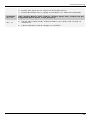
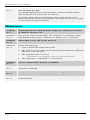
5. Copy the CONFIG file back to the Print Server, reset, and quit:
ftp NAME
ftp>put CONFIG
ftp>get RESET
ftp>quit
41