1
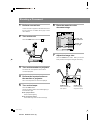
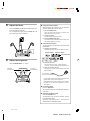
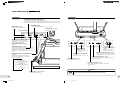
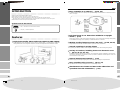
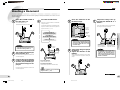
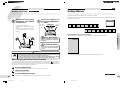
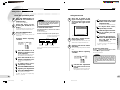
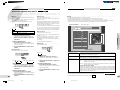
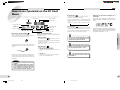
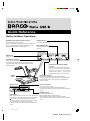
Shooting a Document 1 Perform connections. 6 Connect a monitor or projector to the RGB connector on Place the material on the document stage. the rear of this unit. For details, refer to page 13 of the User’s Manual. 2 Top Turn on the unit. 297 mm × 420 mm width wide Press the POWER switch down to the side. 210 mm × 297 mm upright approx. Bottom POWER 7 Adjust the image size. Press the ZOOM W or T button. When you hold the button pressed, the image size changes continuously. 3 Turn on the monitor or projector. For details, refer to the operation manual for the connected equipment. 4 Perform the input selection on the monitor or projector. ZOOM W T Set it so that the picture from this unit is displayed. 5 Turn on the lamps. ZOOM W button ZOOM T button Press the LIGHTS button. Press to widen the area to be captured. Press to enlarge the image (max. 6 times). Pressing the button switches the overhead lighting to the lower built-in light. L For opaque material Use the overhead lighting. L For transparent material Use the built-in light under the document stage. **BARCO Quick(E) 2 560424 BARCO Quick (E)