1
Operation Guide 2924
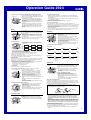
Near
household
appliances or
office
equipment,
or a mobile
phone
Near a
Near highconstruction
tension
site, airport, or power lines
other sources
of electrical
noise
Among or
behind
mountains
*
60kHz
Fukushima
40kHz
Fukuoka/Saga
60kHz
* With TYO or SEL, you can specify either 40kHz or 60kHz.
600 miles
2,000 miles
500
kilometers
500
kilometers
Fukuoka/Saga
Fukushima
1,000
kilometers
Fort Collins
1,000
kilometers
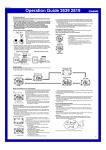
About Auto Receive
When auto receive is turned on, the watch starts to receive the time calibration signal
automatically when the time in the Timekeeping Mode reaches midnight, 1:00 a.m.,
and 2:00 a.m. (calibration times).
If both the 1 o’clock and 2 o’clock signal receptions are not successful, the watch will
try to receive the signal again at the top of each hour up until 5:00 a.m. or until one
more reception is successful.
Note
• Auto receive works only while the watch is in the Timekeeping Mode or World Time
Mode. Auto receive is not performed if an auto receive time is reached while an
alarm is sounding, while a countdown timer operation is in progress, or if a setting
screen (a screen with a flashing setting) is on the display.
• Auto receipt of the calibration signal is designed to be performed early in the
morning, while you sleep (provided that the Timekeeping Mode time is set correctly).
Before going to bed for the night, remove the watch from your wrist, and put it in a
location where it can receive the signal easily.
• When auto receive is turned on, the watch receives the calibration signal for two to
five minutes everyday when the Timekeeping Mode time reaches each of the
calibration times. Do not perform any button operation within five minutes before or
after any one of the calibration times. Doing so can interfere with correct calibration.
• Remember that reception of the calibration signal depends on the time kept in the
Timekeeping Mode. The receive operation will be performed whenever the display
shows any one of the calibration times, regardless of whether or not the
Timekeeping Mode time is actually the correct time.
• If more than one auto receive is successful, the watch uses the data from the last
successful receive to adjust settings. When only one reception is successful, the
watch uses the data of the successful reception.
About the Receiving Indicator
The receiving indicator shows the strength of the calibration signal being received. For
best reception, be sure to keep the watch in a location where signal strength is
strongest.
3. Press D to toggle auto receive on (ON) and off (OFF).
4. Press A to exit the setting screen.
• For information about city codes that support signal receive, see “To set your Home
City”.
To display the Last Signal screen
In the Timekeeping Mode, press D to display the Last Signal screen (indicated by
GET). The Last Signal screen shows the date and time of the last successful time
calibration signal reception.
Receive date
PM
indicator Month – Day
Receive time
Press D.
Hour : Minutes Seconds
▲
• Signal reception may not be possible at the distances noted below during certain
times of the year or day. Radio interference may also cause problems with reception.
Fort Collins (United States) transmitter: 600 miles (1,000 kilometers)
Fukushima or Fukuoka/Saga (Japan) transmitters: 500 kilometers (310 miles)
• Even when the watch is within the reception range of the transmitter, signal
reception is impossible if the signal is blocked by mountains or other geological
formations between the watch and signal source.
• Signal reception is affected by weather, atmospheric conditions, and seasonal
changes.
• See the information under “Signal Receive Troubleshooting” if you experience
problems with time calibration signal reception.
ll
TYO or SEL
Frequency
l
Transmitter
Fort Collins, Colorado
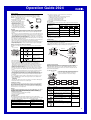
To configure the auto receive setting for the U.S.
• The following procedure applies when you have LAX,
On/Off status
DEN, CHI or NYC selected as your Home City. If you
are using the watch in Japan, see “To configure auto
ll l l l ll
receive settings for Japan”.
1. In the Timekeeping Mode, press D to display the Last
Signal screen.
2. Hold down A until the receiving indicator and current
llllll
ll
auto receive setting (ON or OFF) start to flash. This
is the setting screen.
• If TYO or SEL is selected as the Home City, you can
specify a transmitter selection mode.
• Note that the setting screen will not appear if the
currently selected Home City is one that does not
support time calibration reception.
lllllll
Home City Code
LAX, DEN, CHI, NYC
Note
• To interrupt a receive operation and return to the
Timekeeping Mode, press D.
• If the receive operation is unsuccessful, the message ERR
appears on the display for about one or two minutes.
After that, the watch returns to the Timekeeping Mode.
• You can also change from the Last Signal or ERR
screen to the normal timekeeping screen by pressing D.
ll
• Signal reception is normally better at night than during the day.
• Time calibration signal reception takes from two to five minutes, but in some cases it
can take as long as 12 minutes. Take care that you do not perform any button
operations or move the watch during this time.
• When within range of the applicable transmitter, this watch can receive either the
U.S. (Fort Collins, Colorado) or Japanese (Fukushima or Fukuoka/Saga) time
calibration signal. The signal the watch will attempt to pick up depends on its current
Home City code setting as shown below.
Receiving indicator
▲
Inside a
vehicle
ll
Inside or
among
buildings
To perform manual receive
1. Place the watch on a stable surface so its top
(12 o’clock side) is facing towards a window.
2. In the Timekeeping Mode, hold down D for about two
seconds until the watch beeps.
• Release D and the message RC! appears to indicate
that signal reception has started.
• After signal reception is complete, the display of the
watch changes to the Last Signal screen.
ll l l l ll
• Proper signal reception can be difficult or even impossible under the conditions listed
below.
Last Signal Screen
Signal Receive Troubleshooting
Check the following points whenever you experience problems with calibration signal
reception.
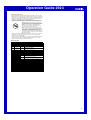
Problem
Probable Cause
What you should do
Cannot perform • The watch is not in the Timekeeping Mode. • Enter the Timekeeping Mode
manual receive. • Your current Home City is not one of the
and try again.
following city codes:
• Select LAX, DEN, CHI, NYC,
LAX, DEN, CHI, NYC, SEL, or TYO.
SEL, or TYO as your Home
City.
Auto receive is • You changed the time setting
• Perform manual signal receive
or wait until the next auto
turned on, but
manually.
the Level 4
• The watch was not in the Timekeeping
signal receive operation is
receiving
or World Time Mode, or you performed
performed.
indicator does
some button operation during the auto • Check to make sure the
not appear on
receive operation.
watch is in a location where it
the display.
• Even if receive is successful, the Level
can receive the signal.
4 receiving indicator disappears every
day at 2 am.
• Time data (hour, minutes, seconds)
only was received during the last
receive operation. The Level 4
receiving indicator appears only when
time data and date data (year, month,
day) are both received.
Time setting is
• If the time is one hour off, the DST
• Change the DST setting to
incorrect
setting may be incorrect.
Auto DST.
following signal • The Home City code setting is not
• Select the correct Home City
reception.
correct for the area where you are
code.
using the watch.
• For further information, see “Important!” under “Time Calibration Signal Reception”
and “Radio-controlled Atomic Timekeeping Precautions”.
World Time
City code
Receiving indicator
Weak
(Level 1)
Strong
(Level 4)
• Even in an area where signal strength is strong, it takes about 10 seconds for signal
reception to stabilize enough for the receiving indicator to indicate signal strength.
• Use the receiving indicator as a guide for checking signal strength and for finding the
best location for the watch during signal receive operations.
• Following reception of the time calibration signal and calibration of the watch’s time
setting, the Level 4 receiving indicator will remain on the display in all modes. The
Level 4 receiving indicator will not be displayed if signal reception was unsuccessful
or after you adjust the current time setting manually.
• The Level 4 receiving indicator is displayed only when the watch is able to receive
both time and date data successfully. It does not appear when only time data is
received.
• The Level 4 receiving indicator indicates that at least one of the auto calibration
signal receive operations was successful. Note, however, that the Level 4 receiving
indicator is cleared from the display at 2:00 a.m. each day.
The World Time Mode shows you the current time in 30
cities (29 time zones) around the world.
• If the current time shown for a city is wrong, check your
Home City time settings and make the necessary
changes.
• All of the operations in this section are performed in the
World Time Mode, which you enter by pressing C.
Current time in
selected city
To view the time in another city
While in the World Time Mode, press D to scroll eastward through the city codes
(time zones).
• For full information on city codes, see the “City Code Table”.
2