1
Using the Dell™ Diagnostics: Dell Inspiron 4100
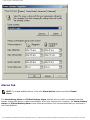
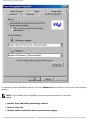
1. Press
.
2. Highlight the Help category and press
highlighted letter in the category you choose.
, or press the key that corresponds to the
Advanced Testing Help Categories
Help Category Description
Menu
Provides descriptions of the main menu screen area, the device groups, and the
different diagnostic menus and commands and instructions on how to use them.
Keys
Explains the functions of all the keystrokes that can be used in the Dell Diagnostics.
Device group
Describes the test group that is presently highlighted in the Device Groups list on
the main menu screen. It also provides reasoning for using some tests.
Device
Describes the function and purpose of the highlighted device in the Device Groups
list. For example, the following information appears when you select the Device
Help category for Diskette in the Device Groups list:
Diskette
Drive A
The diskette disk drive device reads and writes data to and from
diskettes. Diskettes are flexible recording media, sometimes contained
in hard shells. Diskette recording capacities are small and access
times are slow relative to hard disk drives, but they provide a
convenient means of storing and transferring data.
Test
Provides a thorough explanation of the test procedure of each highlighted test
group subtest. An example of the Diskette subtest floppy drive Seek Test is as
follows:
Diskette
Drive A - floppy drive Seek Test
This test verifies the drive's ability to position its read/write
heads. The test operates in two passes: first, seeking from the
beginning to ending cylinders inclusively, and second, seeking
alternately from the beginning to ending cylinders with convergence
towards the middle.
Versions
Lists the version numbers of the subtests that are used by the Dell Diagnostics.
file:///I|/SERVICE%20MANUALS/DELL%20MANUALS/LA...d%20ok/Inspiron/4100/4100_SERVICE_MAN/diag.htm (5 of 6)6/21/2004 1:02:21 AM