1
MOVIE & TV RATING
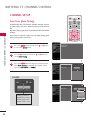
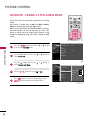
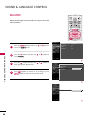
Movie Rating (MPAA) -for USA only
Blocks movies according to the movie ratings limits specified, so children cannot view
certain movies. You can set the ratings limit by blocking out all the movies with the ratings
above a specified level. Keep in mind that the movie ratings limit only applies to movies
shown on TV, not TV programs, such as soap operas.
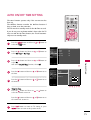
1
2
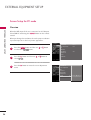
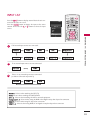
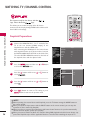
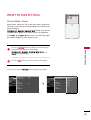
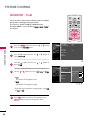
Press the G button and then use the D or E to
select G , P G, PG-13, R, NC-17 or X.
■ G (General audiences)
■ PG (Parental guidance suggested)
■ PG-13 (Parents strongly cautioned)
■ R (Restricted)
■ NC-17 (No one 17 and under admitted)
■ X (Adult only)
■ Blocking Off (Permits all programs)
D
Lock System
Set Password
Block Channel
Movie Rating
TV Rating-Children
TV Rating-General
or E button
After inputting the password, use the
to choose M o v i e R a t i n g.
Downloadable Rating
Input Block
Lock System
Block Channel
If you set PG-13 : G and PG movies will be available,
PG-13, R, NC-17 and X will be blocked.
TV Rating-General
Downloadable Rating
Input Block
For USA
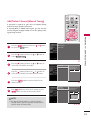
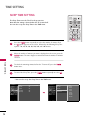
1
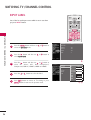
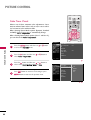
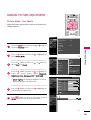
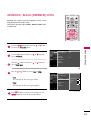
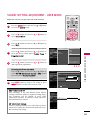
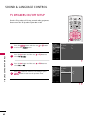
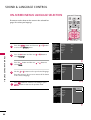
After inputting the password, use the D or E button to
choose D o w n l o a d a b l e R a t i n g.
2
Press the G button and then use the D or
to select D i m 0, D i m 1, D i m 2, or D i m 3.
E
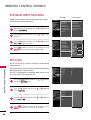
Press the G button and then use the
to select D 1 L 1, D 1 L 2, or D 1 L 3.
E
D
or
button
Lock System
: Off
Set Password
Block Channel
Movie Rating
TV Rating-Children
TV Rating-General
Lock System
: Off
Set Password
Block Channel
TV Rating-English
TV Rating-French
Downloadable Rating
Input Block
1
Lock System
Downloadable Rating
Set Password
Movie Rating
TV Rating-Children
NOTE
G
Downloadable Rating
button
Block Channel
G
For Canada
Input Block
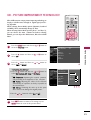
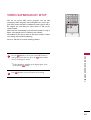
Press E X I T button to return to TV viewing or press
M E N U button to return to the previous menu.
4
G
PG
PG-13
R
NC-17
X
Blocking Off
TV Rating-General
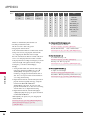
This function may become available in the future and
will be available only for digital channel signal.
This function operates only when TV has received
Region5 Rating data.
Dim0
PARENTAL CONTROL / RATING
Downloadable Rating
3
G
TV Rating-Children
Press E X I T button to return to TV viewing or press
M E N U button to return to the previous menu.
3
Blocking off : permits
all programs
Set Password
Movie Rating
G
: Off
Dim1
Dim2
Dim3
Downloadable Rating G
Input Block
2
G
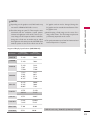
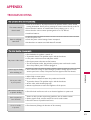
Based on rating table, your TV's OSD (On
Screen Display) may differ slightly from what
is shown in this manual.
77