1
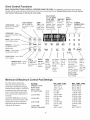
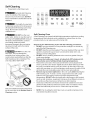
Setting Oven Controls
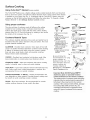
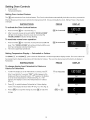
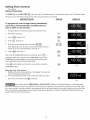
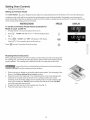
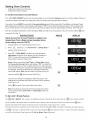
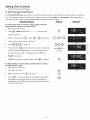
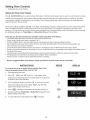
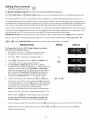
Silent Control Operation
Cony
Bake
Cony
Roast
Cony
Convert
Pro
Heat
Bake
Broil
Slow
Warm &
Flex
Cook
Hold
Clean
Cook
Time
Delay
Start
Beoi,e0
Recall
@
Timer
Add 1
.i,_
@
Set/Off
Minute
Guard
1
2
3
4
5
6
7
8
9
sT0._z
0 @
Clear
Oven
_£ockout
Setting
Silent
Control
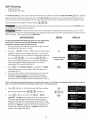
The DELAY START
Operation
and FLEX CLEAN c_o_.
.... pads control the Silent Control operation feature. The Silent Control
operation feature allows the oven control to be operated without sounds or beeps whenever necessary. If desired the control
can be programmed for silent operation and later returned to operating with all the normal sounds and beeps.
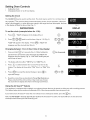
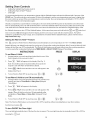
INSTRUCTIONS
To change control from normal
silent control operation:
1.
PRESS
sound
operation
DISPLAY
to
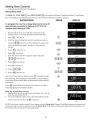
To tell if your range is set for normal or silent operation press
and hold _
for 7 seconds. % -:- -" will appear and "DELAY"
_
for 7seconds
V
will flash in the display (Fig. 1).
2.
Fig. 1
Press c_0o.
.... to switch between normal sound operation and silent
....
Clean
operation mode. The display will show either "SP" (Fig. 2)
or % -" (Fig. 3).
Fig. 2
If "SP" appears (Fig. 2), the control will operate with normal
sounds and beeps. If "==" appears (Fig.3), the control is in the
silent operation mode.
A
3.
Press d._ART_
to accept the change or press _9
to reject the
change.
16
_or_
Fig. 3