1
ENGLISH
FTS-Video
- The FTS-Video function allows you to store your favorite titles and
chapters (DVD) and favorite tracks and indexes (VCD) for a particular
disc in the player memory.
- Each FTS program can contain 20 items (titles, chapters).
- Each time an FTS program is played it will be placed on top of the
list. When the list is full and a new program is added, the last
program in the list will be removed from the list.
- The selections can be called up and played at any time.
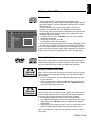
Storing a FTS-Video Program
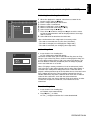
● In STOP mode, select Video FTS c in the menu bar.
● Press w to open the menu.
➤ The Video FTS menu appears.
● Press t or u or FTS to select ON or OFF.
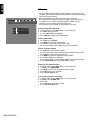
Storing titles/tracks
Press w to select TITLES.
● Use t or u to select the required title.
● Press OK if you wish to store the entire title.
➤ The title number will be added to the list of selections.
●
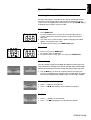
Storing chapters/indexes
● Press w on the selected title number.
➤ The title number will be marked and the highlight moves to the
first available chapter number for this title.
● Use t or u to select the required chapter number.
● Press OK to confirm the selection.
➤ The title/chapter selection will be added to the list of selections.
● Press SETUP OSD to exit the Video FTS c menu.
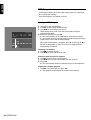
Erasing a FTS-Video Program
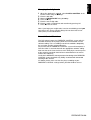
● In STOP mode, select Video FTS c in the menu bar.
● Use w to select PROGRAM.
● Use t or u to select the required selection number.
● Press OK to erase the selection.
● Press SETUP OSD to exit.
If you wish to erase all selections:
● In STOP mode, select Video FTS c in the menu bar.
● Use w to select CLEAR ALL.
● Press OK.
➤ All selections will now be erased.
● Press SETUP OSD to exit.
28 OPERATION