1
7450L.book
13 ページ
2004年5月12日 水曜日 午後3時23分
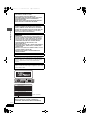
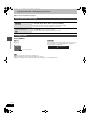
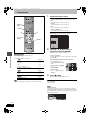
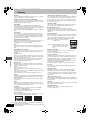
Cards useable on this unit
Instructions
SD Memory Card
MultiMediaCard
SD Memory Card
MultiMediaCard
CompactFlash
SmartMedia
MEMORYSTICK
xD-Picture Card
Microdrive
≥You can play and transfer (dub) still pictures taken on a digital camera etc.
(➡page 24, 34).
≥You can set the DPOF (Digital Print Order Format) for automatic printing on your
home printer or at a photo developing store (➡page 32, 46).
You can insert into the PC
card slot using an adaptor
(TYPE II PC card adaptor).
[PC]
≥Compatible with: FAT 12 or FAT 16
≥We recommend using a Panasonic SD card.
≥You cannot use SD cards that exceed 2 GB.
≥We recommend using this unit to format a card before recording (➡page 37, 46).
≥You may not be able to use the card if formatted on a computer.
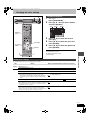
ATA Flash PC Card
Mobile hard disk§
You can insert directly into the
PC card slot.
[PC]
§
Content saved on SD media storage (SV-PT1).
You can only play the recorded still pictures and transfer (dub) the data onto other
cards or DVD-RAM.
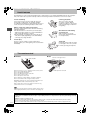
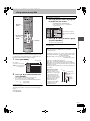
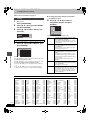
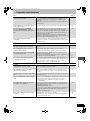
Structure of folders displayed by this unit
Getting started
Type
You can insert directly into the
SD card slot.
[SD]
The following
can be displayed on this unit.
¢¢¢: Numbers
XXX: Letters
DVD-RAM
Card
JPEG
DCIM (Higher folder)
DCIM¢¢¢ (Higher folder)
¢¢¢XXXXX
¢¢¢XXXXX
XXXX¢¢¢¢.JPG
XXXX¢¢¢¢.TIF
IM¢¢CDPF or IMEXPORT
XXXX¢¢¢¢.JPG
XXXX¢¢¢¢.TIF
§
§
DCIM
XXXX¢¢¢¢.JPG
XXXX¢¢¢¢.TIF
¢¢¢XXXXX
XXXX¢¢¢¢.JPG
XXXX¢¢¢¢.TIF
§
Folders can be created on other equipment. However, these folders cannot be selected as a transferring (dubbing) destination.
≥The folder cannot be displayed if the numbers are all “0” (e.g., DCIM000 etc).
≥If a folder name or filename has been input using other equipment, the name may not be displayed properly or you may not be able to play or
edit the data.
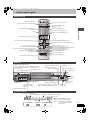
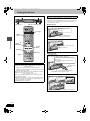
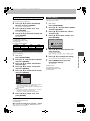
Types of disc for the type of connected
TV
When you use the discs recorded either PAL or NTSC, refer to this
table.
(Y: Possible, t: Impossible)
TV type
Disc
Yes/No
PAL
Y
NTSC
Y§1
PAL
t
NTSC
Y§2
PAL
Y
NTSC
Y§3 (PAL60)
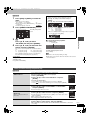
Accessory discs
DVD-RAM
9.4 GB, double-sided, type 4 cartridge: LM-AD240LE
4.7 GB, single-sided, type 2 cartridge: LM-AB120LE
4.7 GB, single-sided, non-cartridge:
LM-AF120LE
DVD-R
4.7 GB, single-sided, non-cartridge:
LM-RF120LE
Multi-system TV
NTSC TV
PAL TV
§1
§2
§3
If you select “NTSC” in “TV System” (➡ page 43), the picture may
be clearer.
Select “NTSC” in “TV System” (➡ page 43).
If your television is not equipped to handle PAL 525/60 signals
the picture will not be shown correctly.
RQT7450
13