1
5.0 Disarming
When your system is disarmed, it deactivates any alarms in progress, and it deactivates the zones so the alarm will not be
triggered if zones are breached.
LCD ICON
LED
LCD ICON
LED
5.1 Entry Delay Timer
Your installer will program designated entry points (i.e. the front door) with an Entry Delay
Timer. This delay gives you time to enter the armed premises and enter your code to
disarm your system before the alarm is triggered.
5.2 Disarming an Armed System
You can only disarm an area to which your user access code is assigned. User access
codes with the “Arm Only” (section 6.7 on page 14) option enabled cannot disarm an
armed system.
How do I disarm the system?
1. Enter your [ACCESS CODE].
2. Press the [DISARM] button or the [ ] key. If you have access to more than one area,
select the area(s) you wish to disarm (refer to section 5.2 on page 9).
To disarm a system in alarm:
1. Enter your [ACCESS CODE].
2. In the case of a false alarm, call your monitoring station quickly to advise them of the
false alarm.
In the case of a burglar alarm, leave the premises and call the Police from a
safe place.
5.3 Alarm Memory Display
Your system will record all the alarms that occurred during the last armed period. The
zones in alarm will remain in the Alarm Memory until the next time that area is armed.
How do I view the list of alarms that occurred?
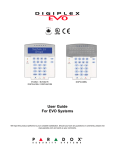
1. When an alarm has occurred, the DGP2-641BL/RB keypad’s screen will display
Alarms in Memory [mem] to View, the Memory
icon or the MEM action
light will illuminate.
2. Press the [MEM] button or the [
LCD
] key. The Memory
icon will flash.
Each zone that was breached while armed will appear below Alarm in:.
ICON
Zone icons on the left side of the screen will illuminate to display zones that caused an
alarm.
LCD
The MEM action light will flash and the numerical light(s) for each zone whose alarm
was triggered will illuminate.
3. Press the [CLEAR] button to exit the Alarm Memory Display.
User’s Manual 9