1
Overview
The chapters in this User’s Guide describe how to:
•
Install the Zoom Wireless-G PC Card adapter on a Windows
PC
•
Connect to a wireless network
•
Enable security on the Wireless-G PC Card adapter
•
Use the advanced features of the Wireless-G PC Card
configuration software
Chapters 1 and 2 cover the basics – what you need to get
connected and to enable security.
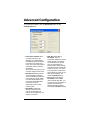
If you are interested in the more advanced features of the
Wireless-G PC Card adapter, please see Chapter 3. This
chapter explains how to create profiles so you can switch your
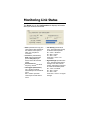
connection from one network to another, monitor the strength of
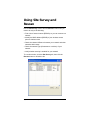
your network connection, and scan a list of available networks.
Overview
3