1
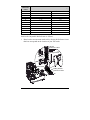
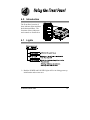
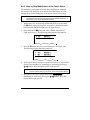
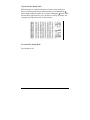
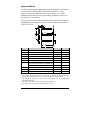
2. Use a finger to move the Bottom Slide until your selected Reference
Letter appears in the Setting Window of the slide.
3. Use a finger to move the Top Slide until your selected Reference
Letter appears in the Setting Window of the slide.
þ Note: The Top and Bottom Slides must be positioned over the same
Reference Letter for proper media sensor function.
4. Proceed to ‘Loading Media’(Section 3.3).
3.3
Loading Media
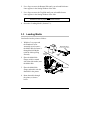
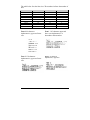
Load media into the printer as follows:
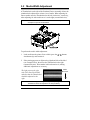
1. With the Cover open and
the Printhead Carrier
Assembly raised, remove
the Media Hub and insert it
through the Roll Media
(with the labels spilling
forward).
Roll
Media
Printhead
Carrier
Media Hub Flange
(smooth side toward media)
Media
Hub
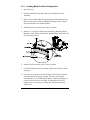
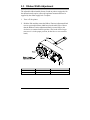
2. Place the Media Hub
Flange (with its smooth
side toward the media) onto
the Media Hub.
3. Place the Media Hub,
flange, and media onto the
Standoffs in the printer.
Standoff
Printhead
Latch
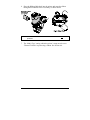
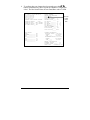
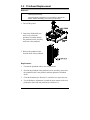
4. Route the media through
the printer, as shown
below.
12
E-4203/E-4204/E-4304