1
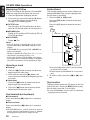
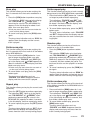
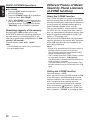
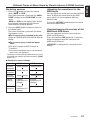
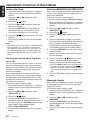
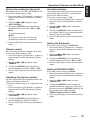
CD/MP3/WMA Operations English Play list mode This function allows you to play tracks, up to latest 5 time stamps, by reading the play list information written on the disc. 1. Press and hold the [PLAY LIST] button for 1 second or longer to turn on or off the play list mode. Play list play is possible only when there is a file whose extension is “.M3U” on the CD-R/ RW. Up to 5 play lists can be recognized, and up to 255 files can be recognized per play list. 2. Press the [a] or [d] button to change the track. 3. Press the [DN] button to move to the previous play list. Press the [UP] button to move to the next play list. Notes: • The SCN/RPT/RDM functions cannot be used while in the play list mode. • The title display changes from folder name to play list name. Making a play list 1. Write desired tracks to a CD-R/RW, etc. Be sure to use alphanumeric/ASCII characters for all file names. 2. Make a play list by using a multimedia player, etc. and save the data. The file format must be M3U. 3. Again, write this play list to the CD-R/RW, etc. Notes: • When writing to a CD-R/RW, etc., be sure to use alphanumeric/ASCII characters. • Up to 5 layers can be recognized as a list. For written play lists, latest 5 lists are recognized in the order in which they are written. • When writing to a CD-R/RW, etc., turn off the Disc At Once function. • When adding a play list, it is recommended to write it in the “Root” folder. 20 DXZ845MC MUSIC CATCHER Operations Setting a recording mode The recording mode for MUSIC CATCHER can be switched between the following 2 modes: • HQ (High Quality) MODE: about 265 minutes • LP (Long Play) MODE: about 353 minutes The factory default setting is “HQ”. 1. Press and hold the [T] button for 1 second or longer to switch to the adjustment selection display. 2. Press the [a] or [d] button and select “MC-REC MODE”. 3. Turning the [ROTARY] knob clockwise or counterclockwise and select “HQ” or “LP”. 4. Press the [T] button to return to the previous mode. Notes on recoding using MUSIC CATCHER: • Recording operations are to be performed in the CD/MP3 mode. • Recordable media are CD-DAs only. • Discs (CD-R/CD-RW) created by copying on a music recorder cannot be recorded. • MP3/WMA discs cannot be recorded. • Some CDs may show a subtractive time indication in the area between tracks when they are played back. A between-tracks area is not recorded in such a CD. • In recording using MUSIC CATCHER, some amount of silent time is created between the tracks. • If the disc contains some tracks that have been already recorded, the other tracks are recorded. • Folder and file names are added automatically during recording. These folder and file names cannot be changed. (The file names correspond to the track Nos. on the CD.) • If the disc is not recordable, “NO REC DISC” shows on the display. • If the disc contains some tracks previously recorded, “INCLUDED” shows on the display. • If there is no empty folder available, “FOLDER FULL” shows on the display. • When the memory capacity is used up, “MEMORY FULL” shows on the display and recording is canceled.