1
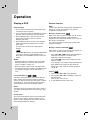
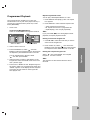
Still Picture and Frame-by-Frame Playback
DVD
DVD
You can play a title/chapter/all/track on a disc.
1. Press PAUSE/STEP on the remote control during
playback. Advance the picture frame-by-frame by
pressing PAUSE/STEP repeatedly.
2. To exit still motion mode, press PLAY.
Slow Motion
DVD
1. Press PAUSE/STEP (X) during playback.
The DVD player will now go into PAUSE mode.
2. Use the SCAN (m or M) to select the required
speed: t 1/16, t 1/8, t 1/4, or t 1/2
(backward), or T 1/16, T 1/8, T 1/4, or T 1/2
(forward).
3. To exit Slow Motion mode, press PLAY (N).
Random
Repeat
Karaoke DVD
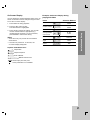
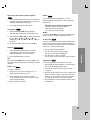
Press REPEAT during playback to select a desired
repeat mode.
DVD Video Discs - Repeat Chapter/Title/Off
• Chapter: repeats the current chapter.
• Title: repeats the current title.
• Off : does not play repeatedly.
Notes:
If you press SKIP (>) once during Repeat Chapter
(Track) playback, the repeat playback cancels.
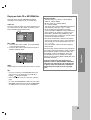
3D Surround
DVD
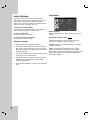
To produce a 3D surround effect that simulates multichannel audio from two stereo speakers (instead of
the five+ speakers normally required for multi-channel
audio from a home theater system).
2. Use v or V to select the sound option.
The sound option will be highlighted.
2. Press RANDOM again to normal.
3. Use b or B to to select “3D SUR”.
To turn off the 3D Surround effect, select “Normal”.
Tip:
By pressing SKIP > during random playback, the
unit selects another title (track) and resumes random
playback.
Repeat A-B
DVD
To repeat a sequence.
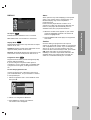
1. Press A-B at your chosen starting point. “ A - ”
appears briefly on the TV screen.
2. Press A-B again at your chosen end point.
“A - B” appears briefly on the TV screen and the
repeat sequence begins.
3. Press A-B again to cancel.
Time Search
Operation
1. Press DISPLAY during playback.
1. Press RANDOM during playback. The unit
automatically begins random playback and
RANDOM appears on the menu screen.
DVD
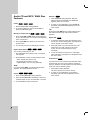
To start playing at any chosen time on the disc:
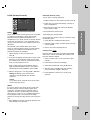
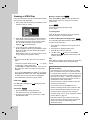
1. Press DISPLAY during playback. The time search
box shows the elapsed playing time.
2. Press v / V to select the time clock icon and “-:--:-” appears.
3. Input the required start time in hours, minutes, and
seconds from left to right. If you enter the wrong
numbers, press CLEAR to remove the numbers
you entered. Then input the correct numbers.
4. Press ENTER to confirm. Playback starts from the
selected time.
17