1
User's Guide.book Page 35 Tuesday, May 25, 2004 11:49 AM
Previewing Picture Sources
You can display a preview image from each connected source to help
you select the image source you want.
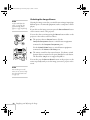
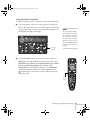
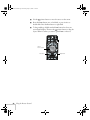
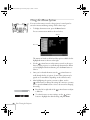
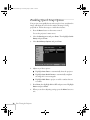
1. Press Preview on the remote control.
Preview button
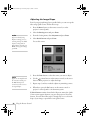
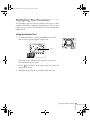
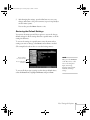
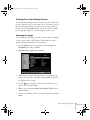
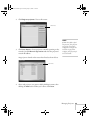
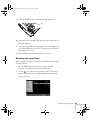
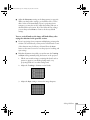
You see the currently selected source displayed in the main
window, as shown below. All other sources (including the
currently selected source) are displayed in smaller preview
windows on the right side and at the bottom. If no equipment is
connected to a port, there is no incoming signal, or the signal is
out of range, the preview window for that source appears blank.
note
Movies are displayed as
still images on the preview
screen.
Computer (Analog-RGB)
Currently
selected
source
Easy MP
Computer
Computer
S-Video
note
Video
Preview windows
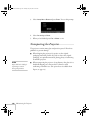
2. Press one of the Source buttons on the remote control to switch
to the desired source. Press Enter to change the source and exit
the screen or press Esc to exit the preview screen without
switching sources.
A red highlight surrounds
the preview window for the
currently selected source. Use
the
pointer button on the
remote control to highlight a
different source and press
Enter to display it.
Using the Remote Control 35