1
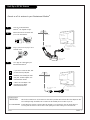
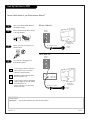
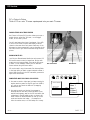
Hook Up Antenna and a VCR
Connect your off air antenna and
VCR to your Entertainment MachineTM
(VCR with Flat Wire Antenna Adapter)
Antenna
Flat wire
(300 ohm)
1
2
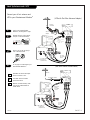
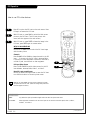
Hook up your Entertainment
MachineTM, see diagrams at right.
VCR back A/V panel
300/75 ohm
Adapter
Remove the back of the remote
and put in two AAA batteries.
Typical
TV back
back of
remote
3
In
output
switch 3 4
Out
Audio Video
R-L Out Out
RF coaxial wire
(75ohm)
not included
with TV
Plug in your TV. Do not plug it
into a switched outlet.
120 V AC
60 Hz
4
VCR back
A/V cables
not included
with TV
TV back panel
(expanded view)
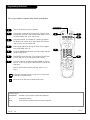
Go to page 13 to EZ Program your
Entertainment MachineTM.
(VCR with Round Antenna Wire)
VCR back
Antenna
Remember to set the VCR output
switch to channel 3 or 4.
VCR back A/V panel
Round wire (75 ohm)
In
Use Video sources for better
picture and sound.
Out
Without A/V cable hookup, VCRs
will not play videocassettes in
stereo sound.
Typical
TV back
output
switch 3 4
Audio
R-L Out
Video
Out
RF coaxial wire
(75ohm)
not included
with TV
A/V cables
not included
with TV
TV back panel
(expanded view)
206-3481
PAGE 9