1
Configuring a State Sync Pair in
NAT/Route Mode
This section provides instructions for configuring a pair of
SonicWALL NSA E5500 appliances for high availability (HA).
This section is relevant to administrators following deployment
scenario B.
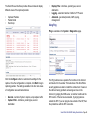
This section contains the following sub-sections:
•
•
•
•
•
•
•
•
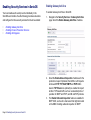
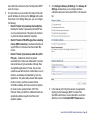
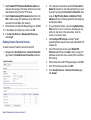
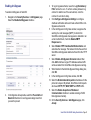
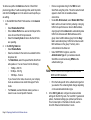
Initial High Availability Setup - page 32
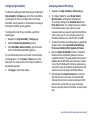
Configuring High Availability - page 33
Configuring Advanced HA Settings - page 33
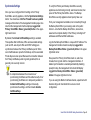
Synchronize Settings - page 35
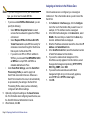
Adjusting High Availability Settings - page 36
Synchronizing Firmware - page 36
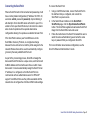
HA License Configuration Overview - page 37
Associating Pre-Registered Appliances - page 38
Initial High Availability Setup
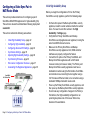
Before you begin the configuration of HA on the Primary
SonicWALL security appliance, perform the following setup:
•
•
•
•
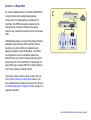
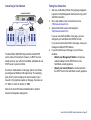
6RQLF:$//16$(&ODVV
6RQLF:$//
+$)DLORYHU3DLU
%
+$/LQN
6RQLF
•
.ETWORK3ECURITY!PPLIANCE
,QWHUQHW
/RFDO1HWZRUN
Page 32 Configuring a State Sync Pair in NAT/Route Mode
•
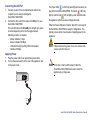
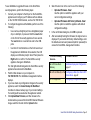
On the bottom panel of the Backup SonicWALL security
appliance, locate the serial number and write the number
down. You need to enter this number in the High
Availability > Settings page.
Verify that the Primary SonicWALL and Backup
SonicWALL security appliances are registered, running the
same SonicOS Enhanced versions.
Make sure the Primary SonicWALL and Backup
SonicWALL security appliances’ LAN, WAN and other
interfaces are properly configured for failover.
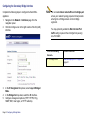
Connect the HA ports on the Primary SonicWALL and
Backup SonicWALL appliances with a CAT6-rated
crossover cable (red crossover cable). The Primary and
Backup SonicWALL security appliances must have a
dedicated connection using the HA interface. SonicWALL
recommends cross-connecting the two together using a
CAT 6 crossover Ethernet cable, but a connection using a
dedicated 100Mbps hub/switch is also valid.
Power up the Primary SonicWALL security appliance, and
then power up the Backup SonicWALL security appliance.
Do not make any configuration changes to the Primary’s
HA interface; the High Availability configuration in an
upcoming step takes care of this issue. When done,
disconnect the workstation.