1
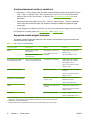
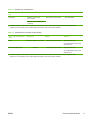
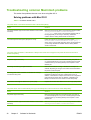
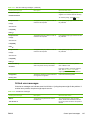
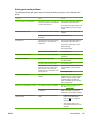
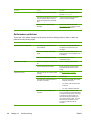
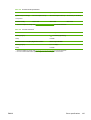
Solving issues with color documents
This section describes issues that can occur when you print in color.
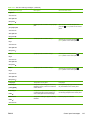
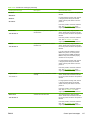
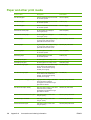
Problem
Cause
Solution
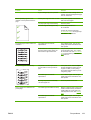
Only black is printing when the
document should be printing in color.
Color mode is not selected in your
program or printer driver.
Select color mode instead of grayscale
mode.
The correct printer driver might not be
selected in the program.
Select the correct printer driver.
The printer might not be correctly
configured.
Print a Configuration page. If no color
appears on the Configuration page,
contact HP Customer Care. See
HP Customer Care or the support flyer
that came in the printer box.
Sealing tape might be on the print
cartridges.
Verify that the sealing tape has been
completely removed from the print
cartridges.
The media might not meet HP
specifications.
Use a different paper, such as highquality paper that is intended for color
laser printers.
The printer might be operating in
excessively humid conditions.
Verify that the printer environment is
within humidity specifications.
One or more print cartridges might be
low. If you are using non-HP print
cartridges, no messages appear on the
printer control panel or in the
HP ToolboxFX.
Replace any low print cartridges.
The control panel is set for override.
Replace low or empty print cartridges.
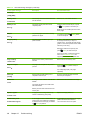
Another print cartridge might be low. If
you are using a non-HP print cartridge,
it might be low or empty but you will
receive no indication.
Remove the print cartridge for the color
that is printing inconsistently and
reinstall it.
The control panel is set for override.
Replace low or empty print cartridges.
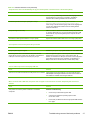
The colors on your computer monitor
might differ from the printer output.
Select Screen Match in the Color tab
of the printer driver.
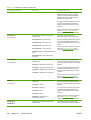
If extremely light colors or extremely
dark colors on screen are not printing,
your software program might interpret
extremely light colors as white or
extremely dark colors as black.
If possible, avoid using extremely light
or extremely dark colors.
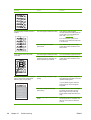
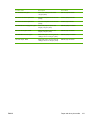
One or more colors are not printing, or
are inaccurate.
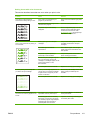
A color is printing inconsistently after
you load a new print cartridge.
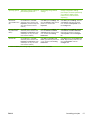
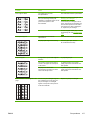
AaBbCc
AaBbCc
AaBbCc
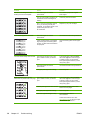
AaBbCc
AaBbCc
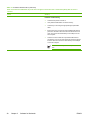
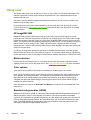
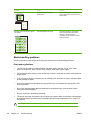
The colors on the printed page do not
match the colors as they appear on the
screen.
ENWW
Print problems
161