1
Appendices
143
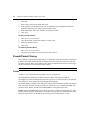
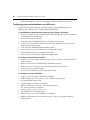
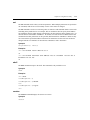
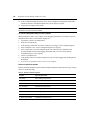
To boot from a TFTP boot server over the network:
1.
Set the value of the bootconf command to net_boot:
cli> set bootconf BF_curr 0
2.
Set the value of the bootconf serverip to the TFTP boot server’s IP address:
cli> set bootconf serverip <IPaddress>
3.
Set the value of the bootconf bootfile to be the name of the boot file on the TFTP server:
cli> set bootconf bootfile allImage.0830 <IPaddress>
4.
The current image environment variable is changed to boot from the specified image.
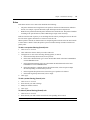
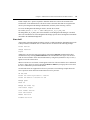
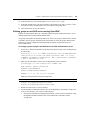
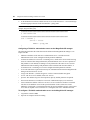
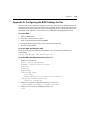
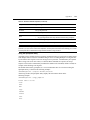
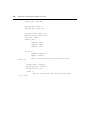
To boot from a TFTP server using Uboot monitor mode:
1.
Boot in Uboot monitor mode.
2.
Use the setenv command to set the ipaddr, serverip and bootfile environment variables.
=> setenv ipaddr <SPmanager_IPaddress>
=> setenv serverip <boot_server_IPaddress>
=> setenv bootfile <boot_filename>
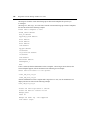
In the following example, the boot filename fl2222222.bin is used.
=> setenv ipaddr 192.168.45.29
=> setenv serverip 192.168.45.127
=> setenv bootfile fl2222222.bin
3.
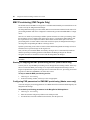
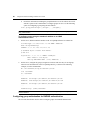
Check that the environment variables are set properly with the printenv command.
=> printenv
ipaddr=192.168.45.29
serverip=192.168.45.127
bootfile=fl2222222.bin
4.
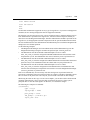
Enter the saveenv command:
=> saveenv
5.
Enter the net_boot command.
=> net_boot
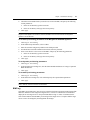
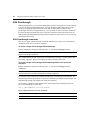
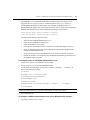
UBoot network boot options and caveats
When a network boot is performed, the MergePoint SP manager boots from the specified image on
the TFTP server. The image uses the RAM as the root file system. Network boots are useful for
troubleshooting because the netbooted image can run even if the MergePoint SP manager’s Flash
memory is not usable.
Network boots are recommended only for troubleshooting and must not be used for normal
operation of the MergePoint SP manager. For example, if you want to test a new release of the
software to make sure a problem is fixed, or if the removable Flash memory becomes corrupted,
you could download the software to a tftpboot server and save it to the removable Flash after