1
Control Codes
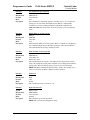
Printer Control
PcOS Series 80PLUS
Programmer's Guide
Printer Control
Function
ASCII
Hexadecimal
Decimal
IPCL
Description
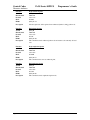
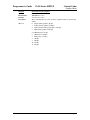
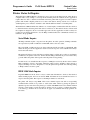
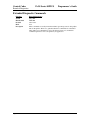
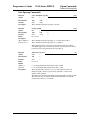
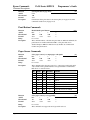
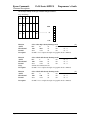
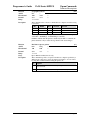
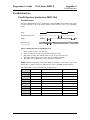
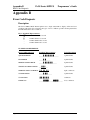
Clear print buffer
[CAN]
18H
<24>
&%RP
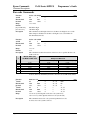
This command clears the print buffer and any unprinted information in the
printer received before the [CAN]. If the input buffer is not being processed
because the printer is out of paper or a form has not been inserted, the CAN
command will not be processed until after the error is cleared. The CAN
command does not restore default conditions. It only clears the print buffers.
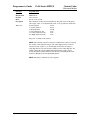
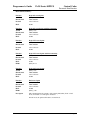
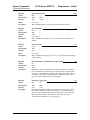
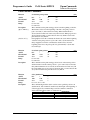
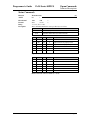
Function
ASCII
Hexadecimal
Decimal
IPCL
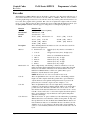
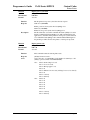
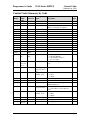
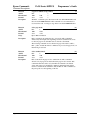
Query marker
[ESC] q <n>
1BH 71H <n>
<27><113>
none
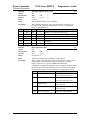
Function
Response
Description
Page 42
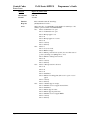
Returns a status to the host when it is processed
Serial/IEEE 1284
Parallel, non-IEEE 1284
[SOH]<n>…
Not supported via PE
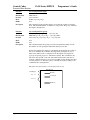
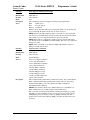
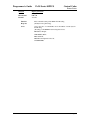
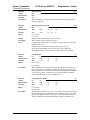
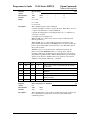
This command can be placed in the print data and, when processed by the
printer, will return a progress status marker. The value of <n> can be any 8bit value. It is returned to the host unaltered. The intent is for it to be a
sequence number. This command can be used to track the print progress of
the printer or verify that the data has been printed.
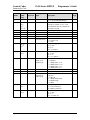
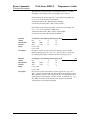
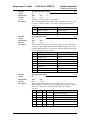
NOTE: This command is a line terminator and causes the printer to print all
previous data. If a normal line terminator (like a [CR]) is not supplied, right
justify and auto center will not function correctly. All data will be left
justified. [ESC]q does not perform a [CR] or [LF] function.
Rev F