1
3. Front Panel Buttons/On-Screen Display
3.1.
Front Panel Buttons
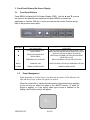
Press MENU to display the On-Screen-Display (OSD). Use the ▲ and ▼ to move
the cursor to the desired menu selection and press MENU to access the
adjustment or function. With the √ button you can exit the current function and go
back to the previous menu point.
BUTTON
▼
OPERATION PERFORMED IF OSD
NOT DISPLAYED
DECREASES BACKLIGHT
BRIGHTNESS
OPERATION PERFORMED WHEN OSD
DISPLAYED
SELECTS NEXT MENU OPTION OR NEXT SUBMENU OPTION OR DECREASE SELECTED VALUE
SELECTS PREVIOUS MENU OPTION OR
PREVIOUS SUB-MENU OPTION OR INCREASE
SELECTED VALUE
▲
INCREASES BACKLIGHT
BRIGHTNESS
√
PERFORMS AUTO ADJUST
EXITS SUB-MENU OPTION OR EXITS OSD
MENU
ENABLES OSD
SELECTS MENU OPTION OR SUB-MENU OPTION
POWER
TURNS POWER ON/OFF
TURNS POWER ON/OFF
3.2.
Power Management
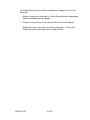
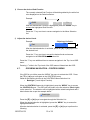
When Horizontal or Vertical Sync is not detected, the amber SAVE indicator will
light and the No Sync symbol will appear (see below).
When the Horizontal or Vertical Synchronization frequencies being supplied
to the unit are not within the range of the AMLCD monitor, or when No
Signal is applied, or if the wrong video input source is selected in the
display, the No Sync symbol will appear.
No
Sync!
150-CF24-101
4 of 19