1
TRM 211 Owner's Manual
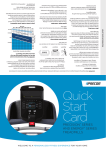
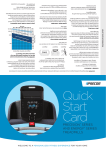
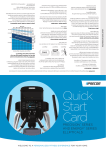
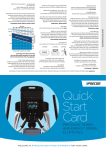
Selecting a Program
1.
While the banner prompt scrolls, continually press
the PROGRAMS key to review the list of programs
(refer to Programs).
2. ENTER TIME appears in the display and the Guest
bar is highlighted which indicates that your
preferences in workout time, weight, and age will
not be saved to memory. Use the arrow keys to
select a program time between 0 and 90 minutes.
Accept the displayed entry by pressing ENTER.
Each column in the program’s profile represents
one minute.
303207-110 rev A TRM 211 Owner's Manual 031914 EN-US - body only with crops.pdf 28
28
3. Continue through the setup phase and enter your
weight (23—350 lbs/10—159 kg) and then your
age (10—99).
Note: To change a value (program, weight, or age)
that you have already entered press STOP/HOLD
TO RESET or wait 30 seconds to return to the
banner. Select a program and reenter the
appropriate values.
4. Hold onto a handrail and straddle the running belt.
BELT STARTING scrolls across the display. A
3-second countdown appears, and then the
running belt starts moving.
5. Step on to the running belt with the speed at or
below 1 mph or 1 kph and begin exercising. Use the
SPEED arrow keys to increase or decrease the
speed of the running belt.
Important: As a GUEST user, you can press
QUICKSTART at any of the setup prompts: ENTER
TIME, ENTER WEIGHT, or ENTER AGE. Default
settings are applied to any prompts you skipped and
the running belt starts moving after a 3-second
countdown.
3/25/2014 12:55:22 PM