1
BST1M Series User’s Manual
Table of Contents
1: Motherboard Features ..................................................... 1
Package Contents & Options .......................................... 2
Main Features .................................................................. 3
Layout & Port Positions.................................................. 6
2: Configuration & Installation........................................... 9
Hardware Configuration.................................................. 9
Configuring The Jumpers............................................ 9
Installing A CPU .......................................................12
Installing System Memory........................................15
Installing Options ......................................................17
Installing The Motherboard..........................................17
Installing in a System Housing.................................18
System Housing Connections ...................................19
Disk Drive Connections ............................................21
Other Connections .....................................................23
Checking The Installation.........................................25
Support Software...........................................................26
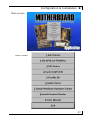
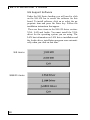
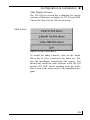
Installing the Support Software ................................26
Installing Bundled Software .....................................30
3: Using The Motherboard................................................31
System Controls.............................................................31
Front Panel Features..................................................31
Connecting External Peripherals..................................33
Connecting Peripherals to Conventional Ports ........33
Connecting USB Peripherals....................................35
Installing Expansion Cards ...........................................36
Installing PCI Cards ..................................................36
Installing A Modem Riser Card................................39
Upgrading System Memory..........................................40
4: The System BIOS & CMOS Setup Utility ..................41
The System BIOS ..........................................................41
The CMOS Setup Utility...............................................41
Using the CMOS Setup Utility.................................42
5: Troubleshooting & Technical Summary......................52
Troubleshooting.............................................................52
General Troubleshooting...........................................52
Support Software Problems ......................................54
Battery Replacement .................................................54
Technical Summary.......................................................55
III