1
iv
PD8700 Series Configuration Guide
Notational Conventions
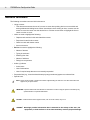
The following conventions are used in this document:
•
Using a mouse:
- This document assumes the use of a mouse or some other pointing device to move within and
among windows and dialog boxes. When instructions include clicking an item, it means use the
mouse to move the cursor onto the desired item. Click the mouse button to highlight the item or
cause an action to occur.
•
Italics are used to highlight the following:
- Chapters and sections in this and related documents
- Drop-down list and list box names
- Check box and radio button names
- Icons on a screen.
•
Bold text is used to highlight the following:
- Names of buttons
- Typing in text boxes
- Selecting from lists
- Names of windows
- Dialog box components.
•
bullets (•) indicate:
- Action items
- Lists of alternatives
- Lists of required steps that are not necessarily sequential
•
Sequential lists (e.g., those that describe step-by-step procedures) appear as numbered lists.
•
Special icons:
NOTE
Notes contain neutral or positive information supplementing the main text. It is often information that
applies only to special cases.
IMPORTANT Important statements draw attention to information crucial to using the product successfully. Pay
special attention to Important statements.
CAUTION
WARNING!
Cautions advise that a negative result, such as a loss of data, may occur.
Warnings provide information that is essential to the safety of the user, the
equipment, or both. Failure to do as instructed may result in physical damage.