1
DTR 2010_indice 1.qxd
11:13
Page 21
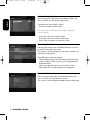
To delete a running timer while watching
digital TV or listening to digital radio
A timer is running and you are watching the programme you
are recording. Recording is signalled by two front LEDs, the
right-hand one lit in red and the left-hand one lit in green.
To delete the running timer:
- Press the key sequence “TIMER, 0”.The red light then
switches off and you can change channels.
7.8.4
To delete a running timer enabled while
the receiver was in standby
A timer is running that was enabled while your receiver was
in standby. Recording is signalled by the right-hand red LED,
which is blinking slowly.
- Press the key sequence “TIMER, 0” to delete the running
timer.The red light then switches off and you can change
channels.
Note: when a recording timer is active, you cannot change digital
channels, but you can switch to analogue TV using the <TV/STB>
key and zap through analogue channels.
7.8.5
Viewing Teletext
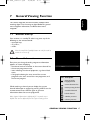
Using the integrated teletext decoder.
- Press <OPT>.
- Select a page using number keys, then follow the
instructions appearing on screen.
- Press <OPT> to exit.
GENERAL VIEWING FUNCTION 21
English
7.8.3
15/05/06