1
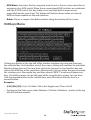
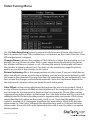
Pressing the Advanced button will open the Advanced Video Tuning menu. While
the vast majority of users will not need to adjust these settings, it offers added control
of the video settings of your VNC sessions.
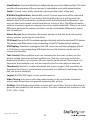
Sampling Phase does not normally need to be used since the IP KVM switch tunes the
sampling phase whenever the video mode changes. This button does not require a test
pattern, but will perform optimally when used with our standard test pattern. For your
reference, the sampling phase number is shown to the right of the Filtering button.
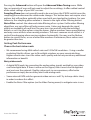
Noise Filter controls the advanced video filtering of our system. Unlike other filtering
algorithms, our noise filter will only remove noise. It does not degrade the signal
quality or readability of small text. You may turn it on and off using the indicated
button, or set it to other values using the arrows. Higher numbers cause more filtering
and may cause artifacts when moving windows. The most common visual artifact is a
vertical line dropping when moving windows horizontally. You may use the Redraw
button to correct these, or use a lower filter number. At minimum, these values must
be greater than two.
Getting Peak Performance
Choose the best video mode
• We recommend using 60Hz refresh rate and 1024x768 resolution. • Using a smaller
resolution like this allows you to fit multiple windows on your remote desktop.
Higher refresh rates stress the video card’s quality and do not provide any additional
information or benefit.
Noisy video cards
• A digital KVM works by converting the analog video signals emitted by your video
card into digital data. If there is noise on that signal, then it must also be digitized
and sent over the network. Quality video cards, in our experience, offer better
performance simply because they don’t add analog noise.
• Some external KVM switches generate video noise as well. Try to keep cables short,
in order to reduce this effect.
• Enable the Noise Filter option (on the Video Tuning menu) to mitigate noise issues.
Instruction Manual
28