1
Table Of Contents
Introduction. . . . . . . . . . . . . . . . . . . . . . . . . . . . . . . . . . 1
Installing HYDRAVISION .................................................................... 2
HYDRAVISION for
Windows®2000/Windows® XP . . . . . . . . . . . . . . . . . . 5
HYDRAVISION Properties........................................................................ 6
Desktop Management Controls .............................................................. 6
Dialog control......................................................................................... 7
Window control ...................................................................................... 7
General ................................................................................................... 8
To enable Individual Applications
Settings via the Desktop Manager........................................................ 10
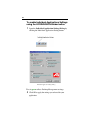
To enable Individual Applications Settings
using the HYDRAVISION titlebar button ........................................... 11
Exclusions ............................................................................................ 12
Hot Keys Controls ................................................................................ 13
Create/Remove Hot Keys..................................................................... 14
Using Hot Keys .................................................................................... 15
HydraFX ............................................................................................... 16
Transparency Control ........................................................................... 16
3D Controls .......................................................................................... 17
Always On Top .................................................................................... 17
Always Transparent.............................................................................. 18
Move to monitor ................................................................................... 19
Restore to monitor ................................................................................ 19
Internet Explorer Feature...................................................................... 19
HYDRAVISION for
Windows®98SE/ Windows® Me . . . . . . . . . . . . . . . . 21
HYDRAVISION Properties...................................................................... 23
Desktop Management Controls ............................................................ 23
Dialog control....................................................................................... 23
Window control .................................................................................... 24
General ................................................................................................. 25
To enable Individual Applications
Settings via the Desktop Manager........................................................ 27
To enable Individual Applications Settings
using the HYDRAVISION titlebar button ........................................... 28
Exclusions ............................................................................................ 29
Hot Keys Controls ................................................................................ 30
Create/Remove Hot Keys..................................................................... 31
Using Hot Keys .................................................................................... 32
iii