1
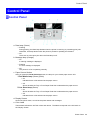
Control Panel
Menu Structure
Main Menu
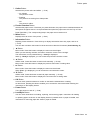
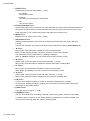
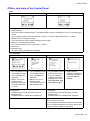
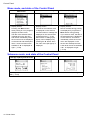
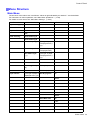
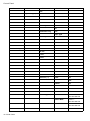
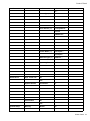
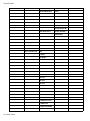
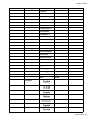
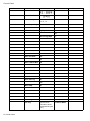
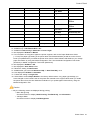
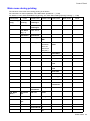
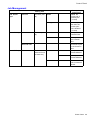
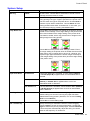
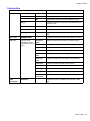
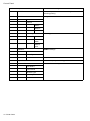
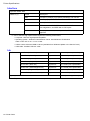
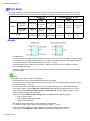
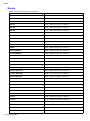
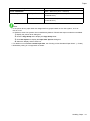
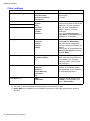
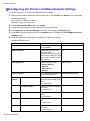
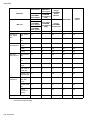
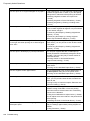
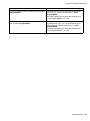
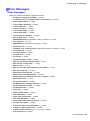
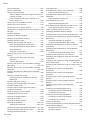
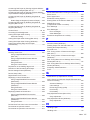
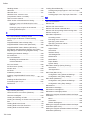
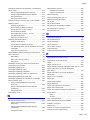
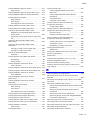
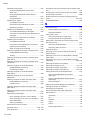
The structure of the main menu is as follows. Values at right indicated by an asterisk “*” are the defaults.
For instructions on menu operations, see “Main Menu Operations”. (→P.39)
For details on menu items, see “Main Menu Settings”. (→P.55)
First Level
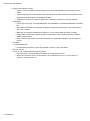
Paper Cutting (*1)
Third Level
Second Level
Fourth Level
Fifth Level
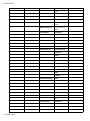
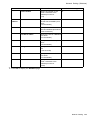
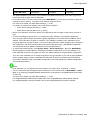
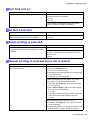
No *
Yes
Rep. Ink Tank
No *
Yes
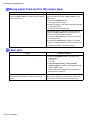
Head Cleaning
Head Cleaning A
Head Cleaning B
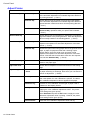
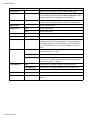
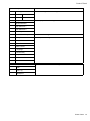
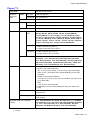
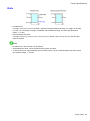
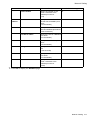
Media Menu
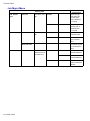
Manual PaperType
(The type of paper
is displayed here.)
(*5)
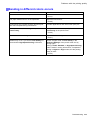
Manual PaperSize
(The size of paper
is displayed here.)
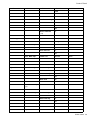
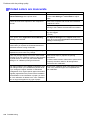
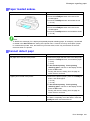
Roll Media Type
(*1)
(The type of paper
is displayed here.)
(*5)
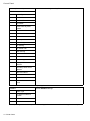
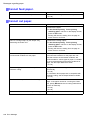
Chk Remain.Roll
Off *
On
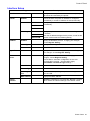
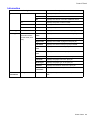
Roll Length Set (*1, ### m (*11)
*2)
### feet (*11)
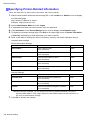
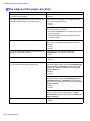
Paper Details
(The type of paper is Roll DryingTime
displayed here.) (*5)
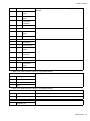
Off
30 sec.
1 min.
3 min.
5 min.
10 min.
30 min.
60 min.
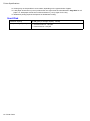
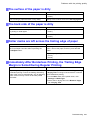
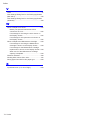
Scan Wait Time
Off
1 sec.
3 sec.
5 sec.
7 sec.
Printer Parts 43