1
3
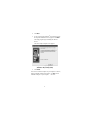
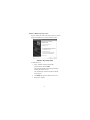
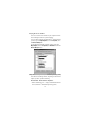
In the Printer Properties window, select Details or
Connection for the Printer. (Section titles vary, so check
your printer’s user manual for specific instructions.)
4
Change the setting to PB1284-1 (USB port) to redirect
printing to the adapter.
Ethernet Port
To connect an RJ-45 ethernet cable, attach the cable connector
to the ethernet port on the adapter. Additional procedures to
connect to an actual network depend on the type of network
you are using. Contact your network administrator for detailed
instructions.
Troubleshooting
General
Device Not Working
• Disconnect the adapter from your computer’s USB port, then
reconnect it.
• Check that your computer is turned on, that it is charged (if
running on a battery) and that the device is plugged in and
turned on (if applicable).
• Make sure that the adapter is firmly connected to both your
computer and the device.
• Disconnect the device from the adapter, then reconnect it
and restart your computer.
• Verify that you ran the Setup or Install program for the
device.
• Make sure that the device appears in Device Manager. For
more information refer to the following instructions
(overleaf).
9