1
cd155_ifu_master_en_us.book
Page 29
Wednesday, May 21, 2008
4:35 PM
7.3
Change the display language
Your handset can support different
display languages.
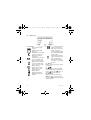
1 Press m key in idle mode, scroll
: to PERSONAL SET and press
<OK, scroll : to LANGUAGE
and press <OK.
2 Scroll : to your desired language
and press <OK to confirm.
• A validation tone is emitted and the
screen returns to previous menu.
Tip
Once the display language is set, the
option menus on the handset will switch
to display in the selected language
immediately. However, it will not change
the language of the predefined outgoing
message of your answering machine.
7.4
Activate/deactivate auto
hang-up
This function enables you to end a call
automatically by simply placing the
handset on the base station. By default,
the Auto Hang up feature is ON.
1 Press m key in idle mode, scroll
: to PERSONAL SET and press
<OK, scroll : to AUTO HANGUP and press <OK.
2 Scroll : to ON or OFF and press
<OK to confirm.
• A validation tone is emitted and the
screen returns to previous menu.
Personal settings
29