1
Product Overview
Chapter 1
Chapter 1:
Product Overview
1. There are two screws that attach the PCI board to its
standard-sized bracket. Remove both screws.
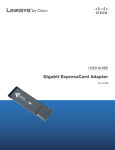
Thank you for choosing the Linksys by Cisco Wireless-N
PCI Adapter with Dual-Band. Using the latest wireless
networking technology, the Adapter adds or upgrades
wireless connectivity on your notebook computer.
To help protect your data and privacy, you can use
industrial-strength WPA2 encryption to protect your
wireless connection. The included Setup Wizard will walk
you through configuring the Adapter to your network’s
settings, step by step.
Bracket Features
The Adapter is a PCI board attached to a standard-sized
bracket. An optional, low-profile bracket is also included.
2. Use the two screws to attach the PCI board to the
low‑profile bracket.
ANT The antenna connector is a connection
point for one of the Adapter’s antennas.
LINK/ACT (Green) The LED lights up when
the Adapter is connected to a wireless
network. The LED flashes when the Adapter
is sending or receiving data over the wireless
connection.
ANT The antenna connector is a connection
point for one of the Adapter’s antennas.
Use of the Low-Profile Bracket (Optional)
If your computer is low-profile, then attach the PCI board
to the low-profile bracket before you install the Adapter in
your computer.
Wireless-N PCI Adapter with Dual-Band
3. To install the Adapter, run the Setup Wizard on the
Setup CD. For more information, refer to the Quick
Installation.
1