1
Panel Setup
DHCPv6
1
In the IPv6 Setting menu, press U or V to select DHCPv6.
2
Press [OK]. The DHCPv6 screen appears.
3
Press U or V to select whether DHCPv6 is enabled.
4
Press [OK]. The DHCPv6 is set and the IPv6 Setting menu reappears.
RA(Stateless)
1
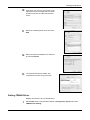
In the IPv6 Setting menu, press U or V to select RA(Stateless).
2
Press [OK]. The RA(Stateless) screen appears.
3
Press U or V to select whether RA(Stateless) is enabled.
4
Press [OK]. The RA(Stateless) is set and the IPv6 Setting menu reappears.
AppleTalk (AppleTalk setting)
AppleTalk is a communications protocol used primarily on Macintosh computers and
also refers to the Mac OS network functions. The default setting is On.
SETUP GUIDE
1
Press [System Menu/Counter]. The Sys. Menu/Count. screen appears.
2
Press U or V to select System.
3
Press [OK]. The System screen appears.
4
Press U or V to select Network Setting.
5
Press [OK]. The Network Setting screen appears.
6
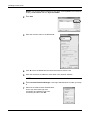
Press U or V to select AppleTalk.
7
Press [OK]. The AppleTalk screen appears.
8
Press U or V to select whether AppleTalk is enabled.
9
Press [OK]. The AppleTalk is set and the Network Setting menu reappears.
15