1
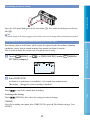
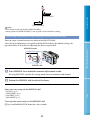
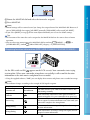
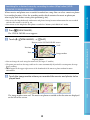
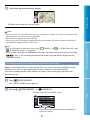
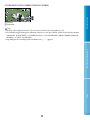
rechargeable battery SETTINGS] (under [GENERAL SET] category) [CALIBRATION]. Touch “” displayed on the screen with the corner of “Memory Stick PRO Duo” media or the like 3 times. Touch [CANCEL] to cancel calibration. Notes If you did not press the right spot, try the calibration again. Do not use a sharp-pointed object for calibration. Doing so may damage the LCD screen. You cannot calibrate the LCD screen if it is rotated, or closed with the screen facing out. How to charge the pre-installed rechargeable battery Note on disposal/transfer of the “Memory Stick PRO Duo” media If the casing is soiled, clean the camcorder body with a soft cloth lightly moistened with water, and then wipe the casing with a dry soft cloth. Avoid the following to avoid damage to the finish: Using chemicals such as thinner, benzine, alcohol, chemical cloths, repellent, insecticide and sunscreen Handling the camcorder with above substances on your hands Leaving the casing in contact with rubber or vinyl objects for a long period of time Even if you delete data in the “Memory Stick PRO Duo” media or format the “Memory Stick PRO Duo” media on your camcorder or a computer, you may not delete data from the “Memory Stick PRO Duo” media completely. When you give the “Memory Stick PRO Duo” media to somebody, it is recommended that you delete date completely using data deletion software on a computer. Also, when you dispose of the “Memory Stick PRO Duo” media, it is recommended that you destroy the actual body of the “Memory Stick PRO Duo” media. About care and storage of the lens Index Wipe the surface of the lens clean with a soft cloth in the following instances: When there are fingerprints on the lens surface In hot or humid locations When the lens is exposed to salty air such as at the seaside Store in a well-ventilated location subject to little dirt or dust. To prevent mold, periodically clean the lens as described above. Useful Recording Techniques Connect your camcorder to a wall outlet (wall socket) using the supplied AC Adaptor, and leave it with the LCD screen closed for more than 24 hours. On handling the casing Table of Contents Your camcorder has a pre-installed rechargeable battery to retain the date, time, and other settings even when the LCD screen is closed. The preinstalled rechargeable battery is always charged while your camcorder is connected to the wall outlet (wall socket) via the AC Adaptor or while the battery pack is attached. The rechargeable battery will be fully discharged in about 3 months if you do not use your camcorder at all. Use your camcorder after charging the pre-installed rechargeable battery. However, even if the pre-installed rechargeable battery is not charged, the camcorder operation will not be affected as long as you are not recording the date. On charging the pre-installed 124