1
2
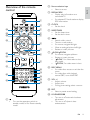
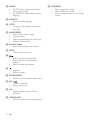
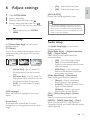
Select a file, then press ANGLE/PROG to
add the file to the program list.
3
Repeat steps 2 until the program is
complete.
4
Select a camera angle
Note
• This feature is only available for DVDs recorded with
multiple camera angles.
Press OK /
to play the program.
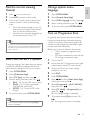
To delete a file from the [Program List]:
1
Press DISC MENU until the program list is
displayed.
2
Select a file, then press ANGLE/PROG to
delete the file from the program list.
1
During play, press ANGLE/PROG
repeatedly to select a camera angle.
Picture view options
Zoom in/out image
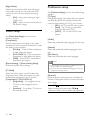
1
During video play, press (ZOOM)
repeatedly to zoom in/out the image.
• When the image is zoomed in, you
can press / to pan through the
image.
Preview pictures
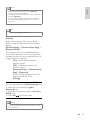
1
During play, press .
» The thumbnails of 12 pictures are
displayed.
2
Select one of the following:
• a picture
• the slide show option
• the menu option
• the next/previous page (if available)
3
Press OK to:
• play the selected picture
• start slide show of all pictures
• enter the menu where each remote
key function is explained
• turn to the next/previous page (if
available)
Slow-motion play
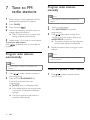
1
During video play, press (SLOW)
repeatedly to select a slow play option.
» The sound is muted.
» To resume play at normal speed, press
.
Change the audio channel
Note
• This feature is only available for VCD/DivX play.
1
22
During play, press AUDIO repeatedly to
select an audio channel available on the
disc:
• Mono Left
• Mono Right
• Stereo
EN
Select a slide show play mode
1
During play, press ANGLE/PROG
repeatedly to select a slide-show play
mode.
Rotate picture
1
During play, press / / / to rotate the
picture anti-clockwise/clockwise.