1
IP27BR IB
Using the iP27
Connect iP27 to Power Source
Troubleshooting
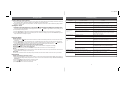
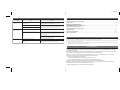
Symptom
a) For home operation and to charge your iPhone or iPod, plug the AC adaptor cable into the AC Adaptor Jack and the other end
into a standard 120VAC wall socket. Adaptor must be plugged in to charge iPhone/iPod.
b) For portable operation, install 4 “AA” (LR6) batteries, 2 in each compartment on the bottom of the unit. Make sure polarity matches
diagram in compartments.
Unit doesn’t respond
(no power)
Setting the Clock
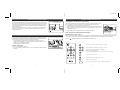
a) Depending on your location and the time of year, move the
(Daylight Saving Time) switch located inside the left battery
compartment on the bottom of the unit to +1 to add one hour (a DST icon will appear on the display) or to -1 to subtract 1 hour.
Button to toggle between 24 hour (military) and 12
b) Press and hold the Time Set Button until the display flashes. Press the
hour (standard) time display modes.
c) Press the Hour Button to adjust the hour setting (a PM indicator appears when time is set to PM; there is no AM indicator)
iPhone/iPod
does not dock
properly
Possible Problem
Solution
AC adaptor isn’t plugged into a wall outlet
or the connector is not plugged into the
power supply jack on the back of the unit
Plug the AC adaptor into a wall outlet and plug the
connector into the supply jack on the unit
Wall outlet is not functioning or switched off
Plug another device into the same outlet to confirm the outlet
is working. Make sure any associated power switch is ON
Batteries are weak or dead
Replace with new batteries
Using no or wrong insert
Make sure the dock insert is the one for for your iPhone/iPod
iPhone/iPod not docked properly
Remove your iPhone/iPod from the dock and check for
obstruction on the connectors in the dock and on your
iPod. Make sure there is no “skin” or case on the iPod.
Then reseat it in the dock.
Replace with new batteries
d) Press the Minute Button to adjust the minute setting. When the correct time is displayed, press the Time Set Button again. Two
beeps will indicate clock setting is complete.
Battery Low icon
always flashing
Batteries are weak
Batteries were not installed properly
Check to make sure the polarity ( + and – ends) matches
the diagram in the battery compartment
iPhone/iPod is not docked properly
Remove your iPhone/iPod from the dock and check for
obstruction on the connectors in the dock and on your
iPhone/iPod. Then reseat it in the dock.
Your iPod software is too old
Upgrade software on your iPod via iTunes
iPhone/iPod is locked up
Please make sure your iPod is working properly before
docking into the unit. You may need to reset your
iPhone/iPod. Please refer to your manual for details.
Using 1st or 2nd generation iPod, iPod
shuffle or other devices.
iP27 cannot control those iPod models or other devices.
Buttons/Controls
don’t work
Travel Lock is in Lock position
Move Travel Lock to Off or Remote position
iPhone/iPod does not
come on immediately
If your iPod is not used for some time, it
may enter deep sleep mode
Press the Menu button on your iPod
iPhone/iPod battery is too run down/weak
Charge your iPhone/iPod for about 5 minutes
Using the Alarm
Setting the Alarm
Button until the alarm time flashes to wake to iPhone/iPod (buzzer alarm sounds if no iPhone or iPod
a) Press and hold the
is detected).
b) Press the Hour Button to set the desired alarm hour (a PM indicator appears when time is set to PM; there is no AM indicator)
Button again.
c) Press the Minute Button to set the alarm minute time. When the desired alarm time is displayed, press the
Two beeps will indicate alarm setting is complete. Alarm is now armed, indicated by the alarm clock icon.
Arming and Disarming Alarm (Turn Alarm Function ON and OFF)
Button to arm or disarm alarm functions. When armed, the alarm icon appears in the display.
a) Press the
Resetting the Alarm to Come on the Next Day
a) When the alarm is sounding, press the OFF Button to stop the alarm and reset it to come on the following day.
Snooze
a) Press the Snooze Button after the alarm sounds. The alarm will be silenced and come on again 9 minutes later. Snooze can be
pressed several times during the 1 hour alarm cycle.
Sure Alarm
The iP27 has a sure alarm feature: if the backup battery is installed, the buzzer alarm will still sound in the event of power failure.
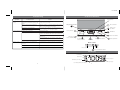
iPhone/iPod
Playing and charging your iPhone or iPod
a) After selecting and placing the proper insert for your iPhone or iPod model, gently dock iPhone/iPod in Dock. When docked, the
iPhone or iPod will charge until fully charged when the iP27 is connected to an outlet with AC adaptor. Unit will not overcharge
iPhone/iPod.
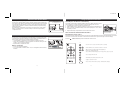
b) Press the
Button to play iPhone/iPod, and again to pause.
or
Button to adjust iP27 volume up or down.
c) Press
iPhone/iPod does
not respond to the
unit
e) Press OFF Button to turn iP27 and iPhone/iPod off.
3
8