1
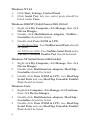
Windows NT 4.0
1.
2.
Click Start, Settings, Control Panel.
Click Serial Port tab, two serial ports should be
listed under Ports.
Windows 2000/XP (32-bit)/Server 2003 (32-bit)
1.
2.
3.
Right click My Computer, click Manage, then click
Device Manger.
Double click Multifunction adapters, NetMos...
Controller should be listed.
Double click Ports (COM & LPT),
For Windows 2000: Two NetMos Serial Ports should
be listed.
For XP/Server 2003: Two NetMos Serial Ports and a
NetMos Unusable Parallel Port should be listed.
Windows XP (64-bit)/Server 2003 (64-bit)
1.
2.
3.
Right click My Computer, click Manage, then click
Device Manger.
Double click Multifunction adapters, MosChip...
Controller should be listed.
Double click Ports (COM & LPT), two MosChip
Serial Ports and one MosChip Unusable Parallel
Port should be listed.
Windows Vista
1.
2.
3.
8
Right click Computer, click Manage, click Continue,
then click Device Manger.
Double click Multifunction adapters, MosChip...
Controller should be listed.
Double click Ports (COM & LPT), two MosChip
Serial Ports and one MosChip Unusable Parallel
Port should be listed.