1
English
Out of memory
The memory has room for up to 59 messages (including the outgoing message) max. 15
minutes depending on the compression you set. When TAM FULL is shown or the base unit
flashes FF, no new messages can be recorded until the old ones have been played back and
deleted. In that case, the telephone answer machine responds with the outgoing message for
Answer Only.
Note!
Remember to delete messages regularly!
Answer machine settings
.
2.
.
4.
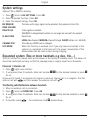
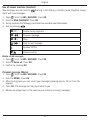
Press . Scroll to ANS. MACHINE. Press OK.
Scroll to TAM SETTINGS. Press OK.
Scroll to desired function. Press OK.
Scroll to desired setting. Press OK.
ANSWER MODE
TAM LANGUAGE
OGM SETTINGS
ANSWER DELAY
RECORD TIME
REMOTE ACC.
COMPRESSION
BS SCREENING
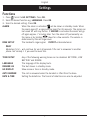
CHANGE PIN Choose between ANSWER & REC and ANSWER ONLY (caller cannot
leave message).
Select language for pre-recorded outgoing message. To activate this,
press C (right menu button) during playback of outgoing message.
Record/listen to outgoing msg.
Select after how many rings (2,4,6,8, time saver*) the call will be
answered.
Select maximum recording time for each msg.
Select remote access off/on.
Higher compression gives longer recording time but reduced sound
quality, LOW = best sound quality but about half memory capacity.
Enable/disable the function in base unit which is described in chapter
Screening.
Change remote access code (0000).
Note!
The Time Saver function answers calls after six ring signals, until the first new message
has been registered - then the answer machine switches to answering after approximately
two signals. This is useful when using remote access; if you call up the answer machine
and there is no reply after four rings that means there are no messages recorded and you
can hang up before you are charged for the call.
12